Beta · Mac
Set up FjordRow on your Mac.
Build 8.4.6 for Mac. About two minutes. Do what the picture shows: click what is circled in red. Do every step on the Mac you will row with.
Install
Seven steps, one picture each. The TestFlight and App Store screens are simple drawings, not screenshots.
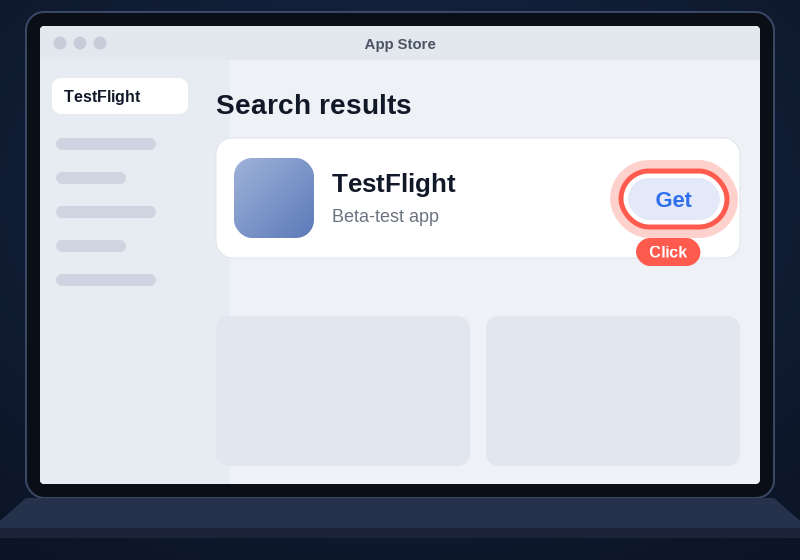
Get TestFlight from the Mac App Store.
It is Apple’s free app for beta tests. Search for TestFlight and click Get.
Open the invite link on this Mac.
Click Open the invite link below on this Mac, then click Accept in TestFlight.
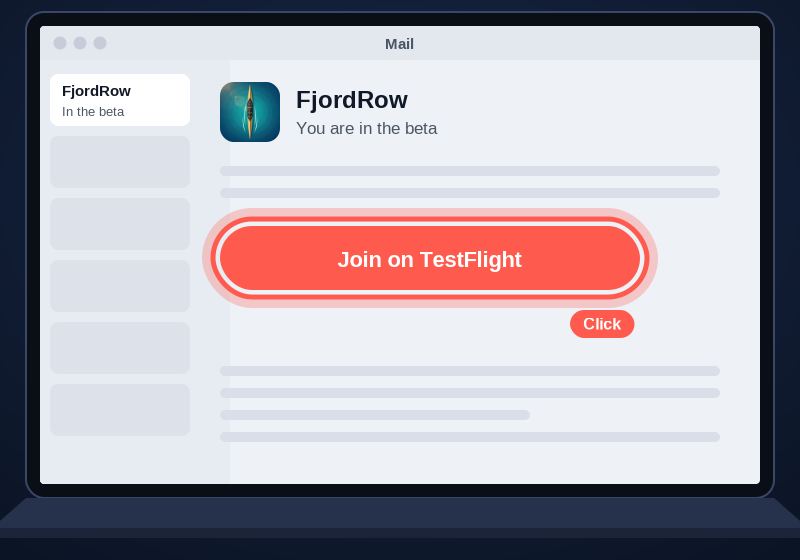
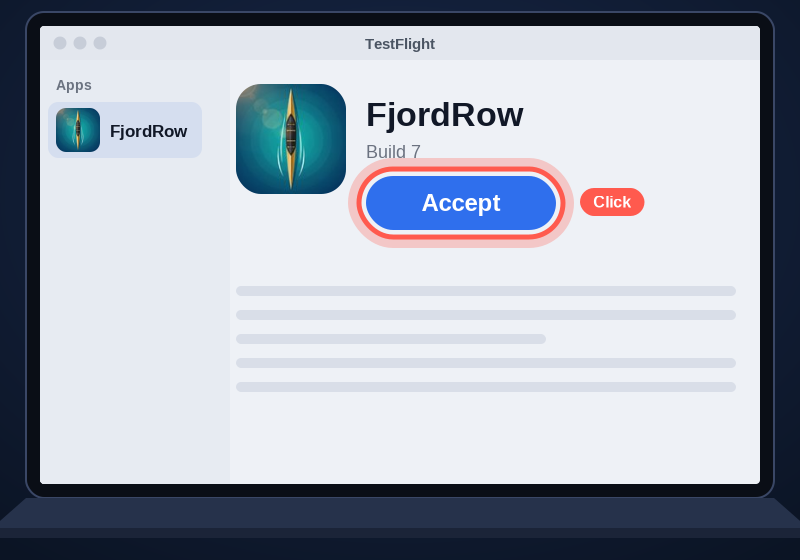
Click Accept if TestFlight asks.
TestFlight opens and shows FjordRow.
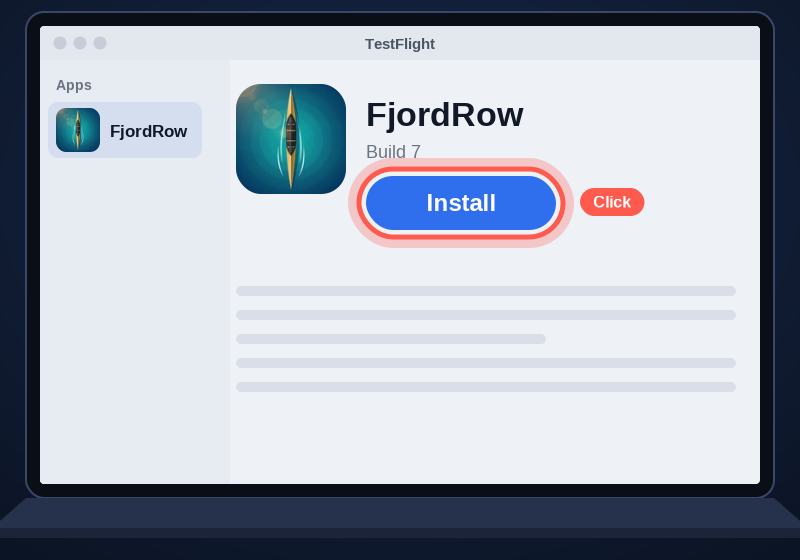
Click Install.
FjordRow goes into your Applications folder.
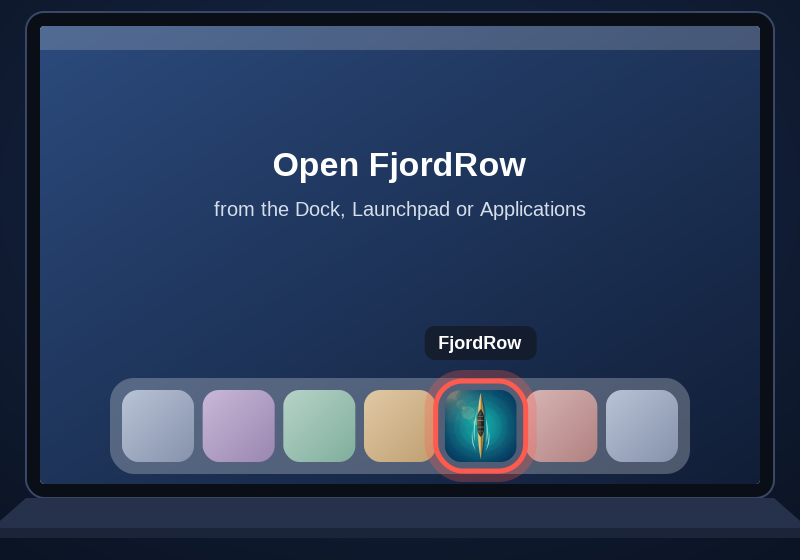
Open FjordRow.
From the Dock, Launchpad or Applications, or click Open in TestFlight.
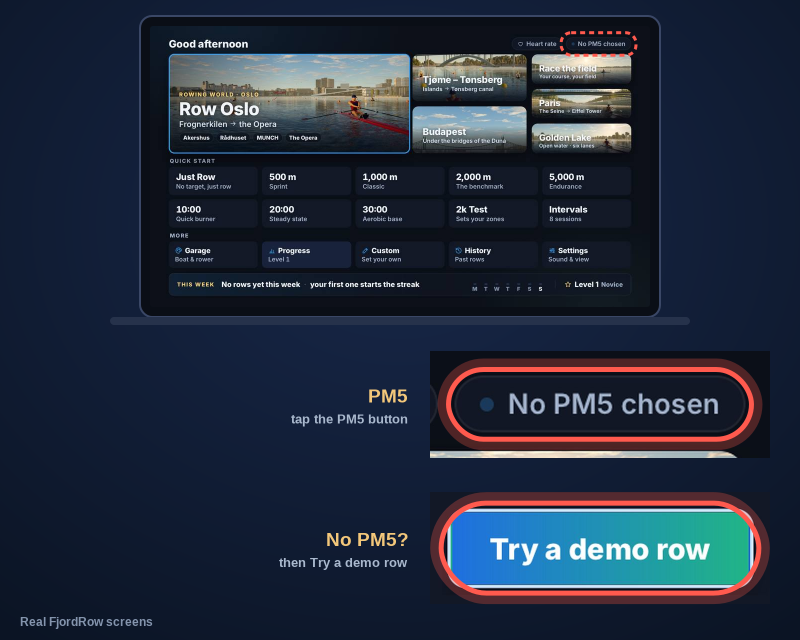
Connect your PM5, or try the demo row.
Pull the PM5 handle to wake it, then click No PM5 chosen at the top and pick your PM5. No rower? In the same window, click Try a demo row.
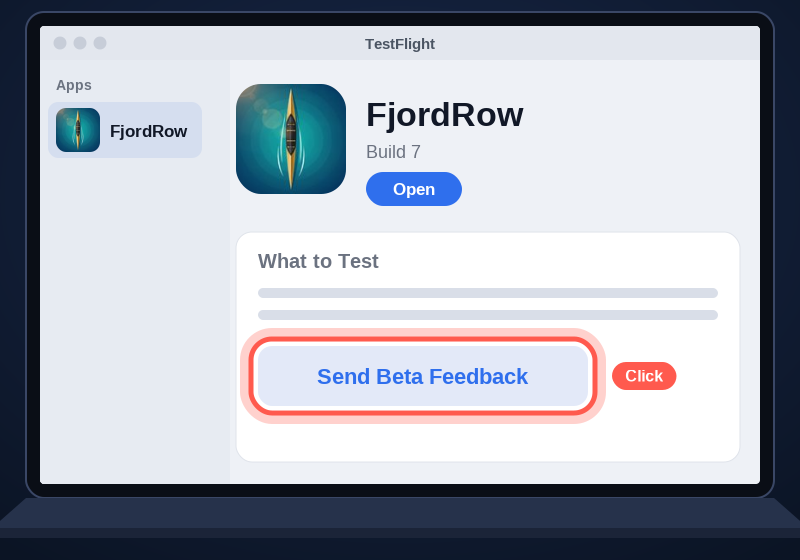
Send feedback.
In TestFlight, select FjordRow and click Send Beta Feedback (add a screenshot). Or email hello@fjordrow.com. Say your Mac, macOS version, what you clicked and what happened.
What’s next: the full guide
Connect your PM5, worlds and routes, the HUD styles, workouts and intervals, History, .FIT, Strava, every Settings row and troubleshooting, with pictures of the real app and a search box. It opens with Mac screens.
What to test
- Connect your PM5 and row 5 minutes. Do pace, watts and stroke rate match the monitor? No PM5? Click “Try a demo row”.
- Row an Oslo, Tjøme or Budapest route. Note any stutter or slow loading. Other boats on the water should always keep clear of your course.
- In a row, switch 3D, Data and Map. The row must not stop.
- Move between data pages. Try the HUD styles Boxes, Centre and Clean (Settings).
- Settings: try “Other rowers” (Auto, On, Off) and the Sound switches.
- End a row early: you should see “End this workout?”. Then quit the app mid-row on a PM5 and reopen it: look for “Unfinished workout”.
- Save a row as a .FIT file (History, click a row, Save .FIT).
- Strava is beta with limited places. If you see “Strava connections are full”, tell us.
- Anonymous usage stats are on by default. Switch them off in Settings if you like.
Known issues in this beta
- The finish screen’s AVG SPLIT tile can differ from the chart’s average after a long stop in the middle of a row. We are fixing this.
- The rower can pause briefly at the catch before the next stroke. We are smoothing this.
No need to report these two. Anything else: tell us.
Questions
Is it free?
Yes. You pay nothing to install, test or update.
Do I need an Apple ID?
Yes. TestFlight uses the Apple ID you already use for the App Store. FjordRow itself has no accounts and no sign-in.
Do I need a PM5?
A Concept2 with a PM5 is best. Without one, tap “Try a demo row”.
It says the beta is full.
The iPhone and iPad link has 500 places. Write to hello@fjordrow.com and we will tell you when one opens. (“Strava connections are full” in the app is a different limit: it only affects Strava upload.)
Is my data collected?
Your rows stay on your device. The beta sends anonymous usage stats (counts of what is used; no ID, not linked to you). They are on by default; switch them off in Settings. Feedback is only sent when you choose to send it. See the privacy page.
Is there an Android beta?
Yes. It is a closed test on Google Play, so we have to add your Google address first. On our list already? Follow the Android steps. If not, write to hello@fjordrow.com with the Google address you use on your phone.
Which languages?
English only for now.
How do I leave the beta?
Open TestFlight, choose FjordRow and tap Stop Testing. Or just delete the app.
How long does the beta last?
Until the next build. We will tell you when there is one. TestFlight builds also stop working after 90 days.
Email hello@fjordrow.com. A person answers.