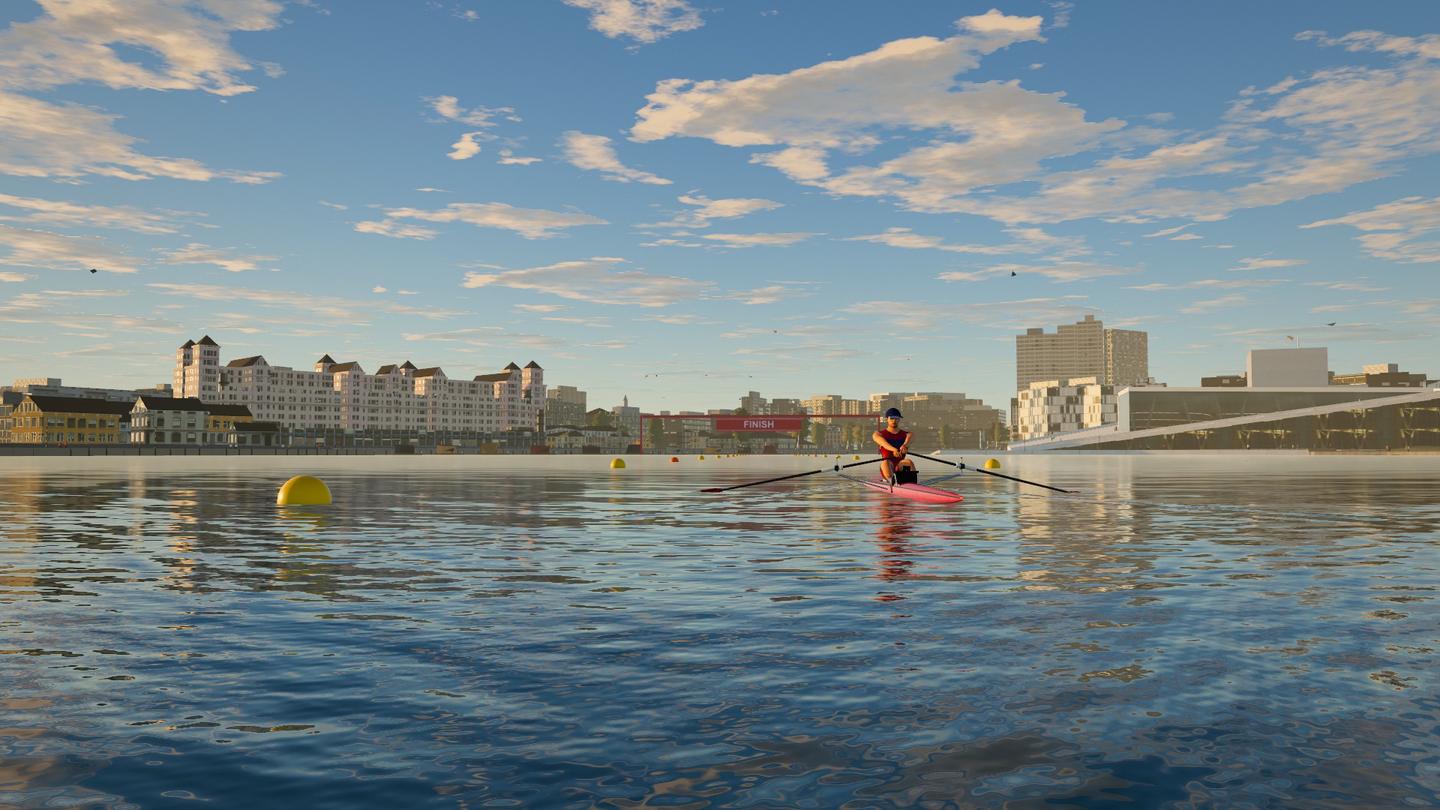
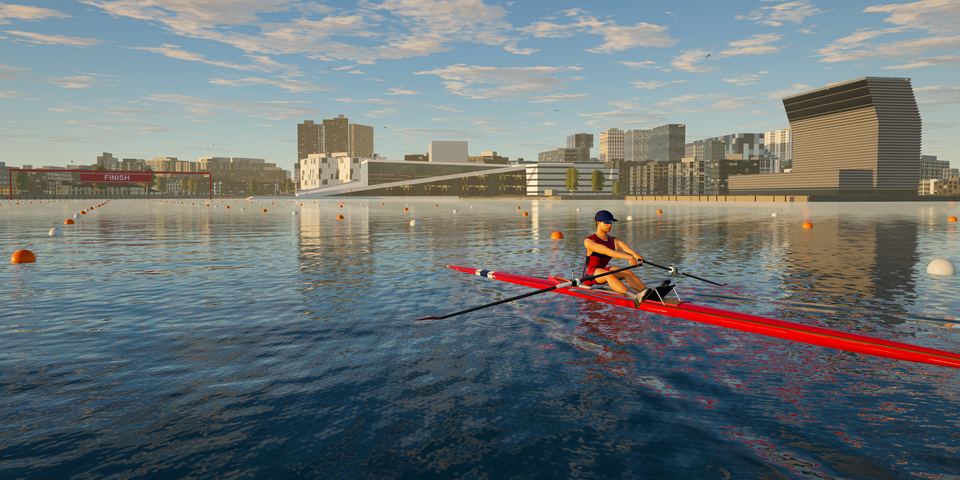
A single sculler in a red boat rowing through Oslo harbour at golden hour, captured in FjordRow.

Beta live · iPhone, iPad, Mac, Android

Row the Oslofjord from your erg.

FjordRow connects to the PM5 on your Concept2 and puts every stroke on real water: Oslo, Tjøme, Paris and Golden Lake.

Free to install. 500 places on iPhone and iPad through TestFlight.

The row

Your stroke moves the boat.

The PM5 talks to FjordRow over Bluetooth. Pull harder and the Opera comes up sooner.
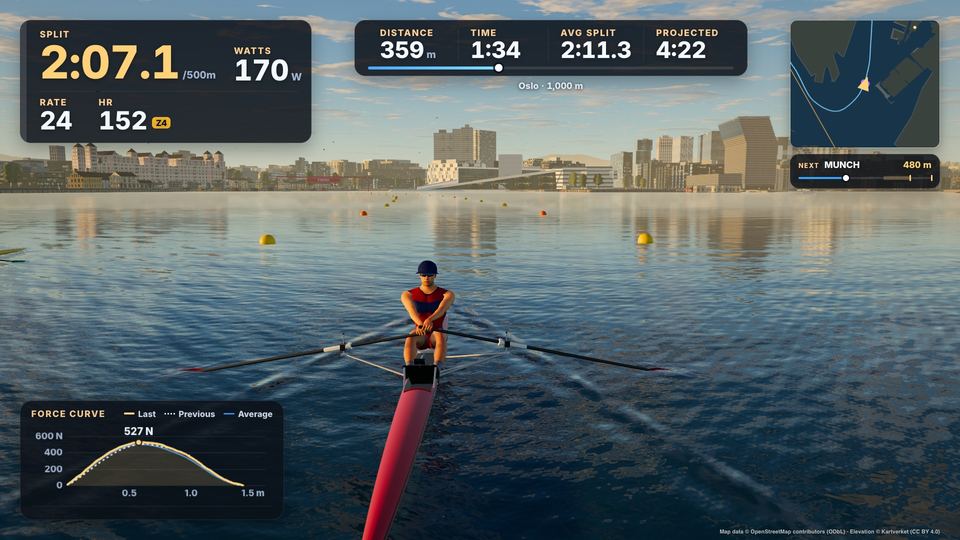
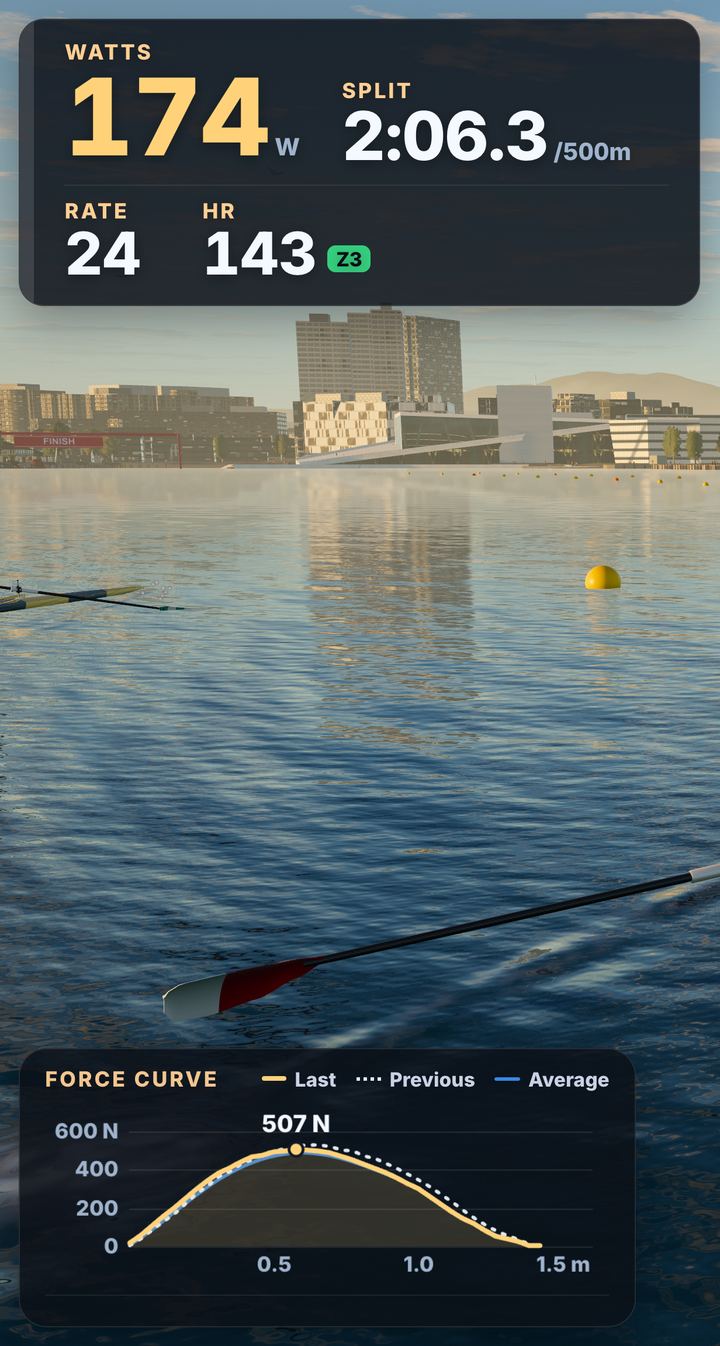
A row through Oslo harbour in FjordRow with the live data overlay: 170 watts, split 2:07.1 per 500 m, rate 24, heart rate 152, a projected finish of 4:22, and the force curve of the last stroke.

Recorded in the app with the built-in demo rower, frame by frame at 60 fps.

  • Split /500m2:07.1/500mThe big number: pace per 500 m, smoothed so it doesn't jump.
  • Watts170WYour power, right next to the split.
  • Rate24spmStrokes per minute, straight from the PM5.
  • Heart rate152bpmFrom your strap, with your zone.
  • Projected4:22Your finish time if you hold this pace.
  • Force curve527N peakLast stroke over your previous and your average.

Four layouts. Switch between them while you row.

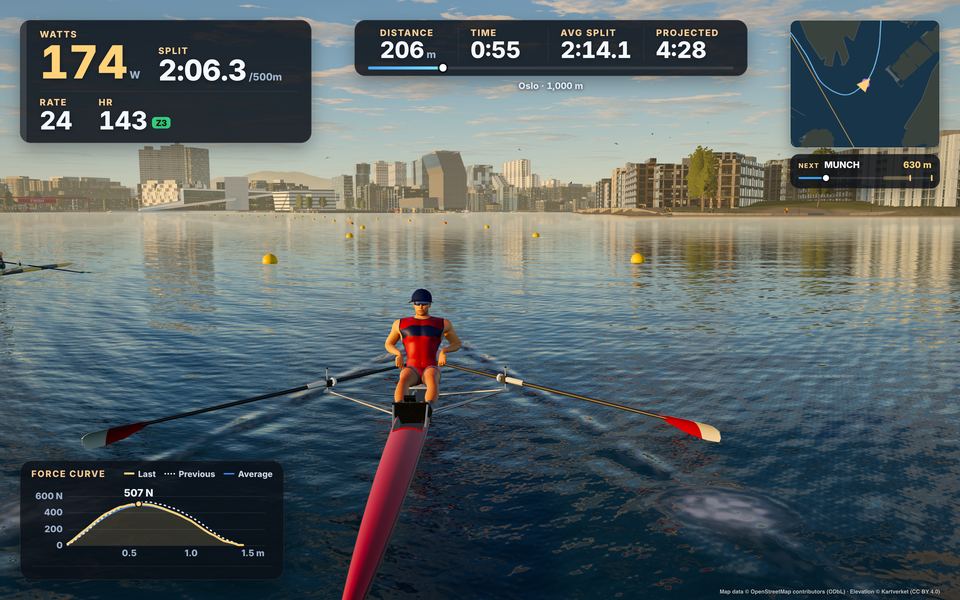
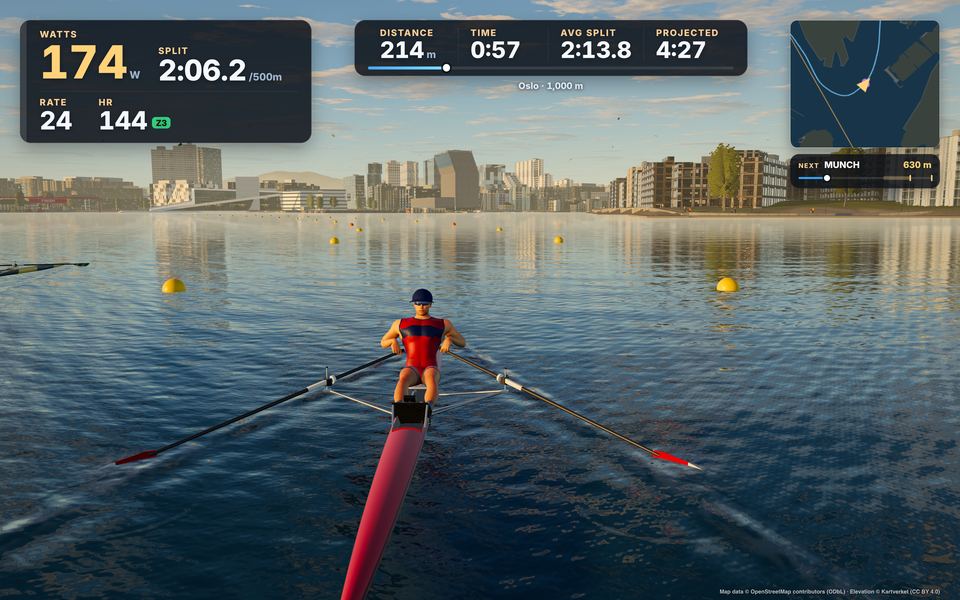
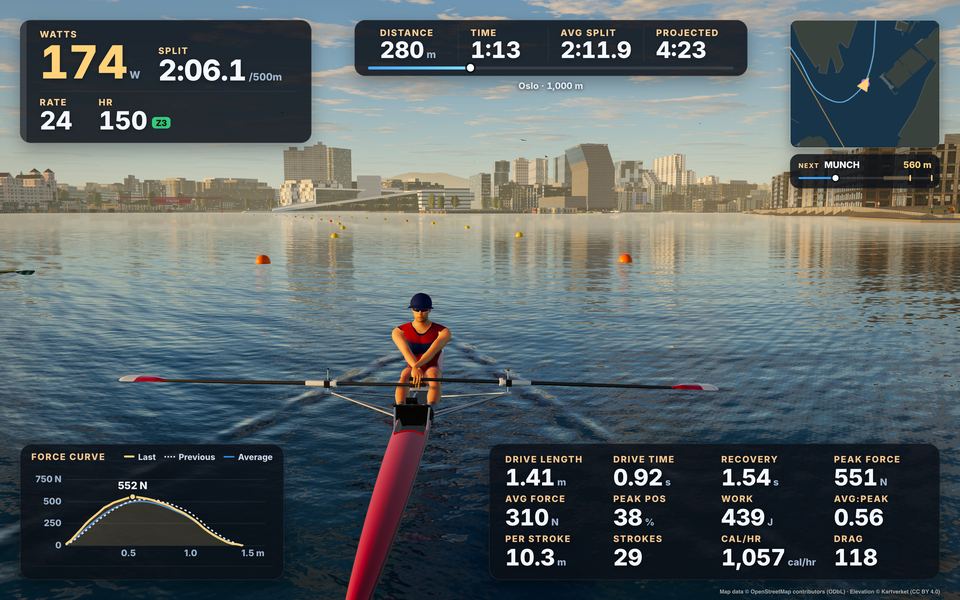
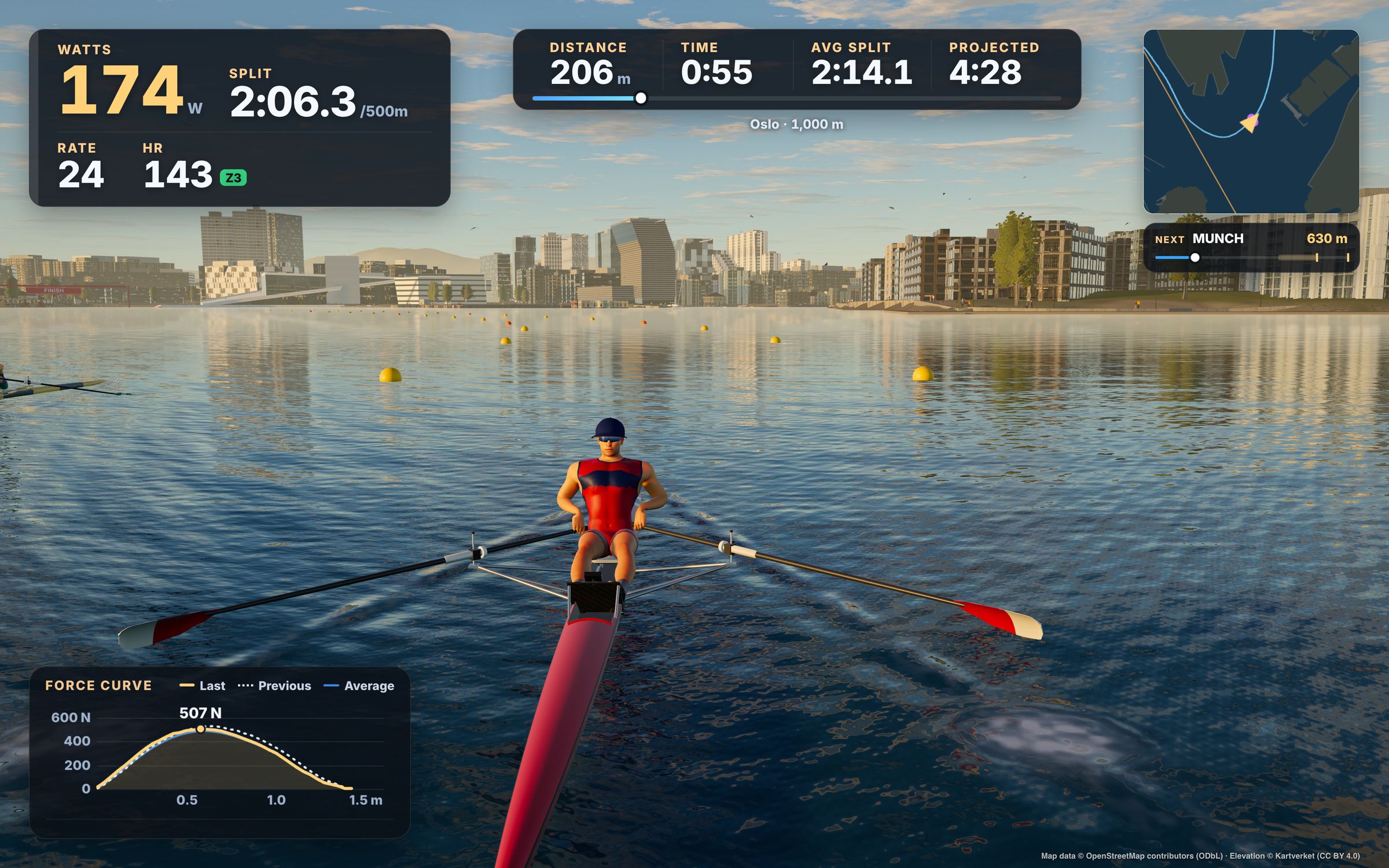
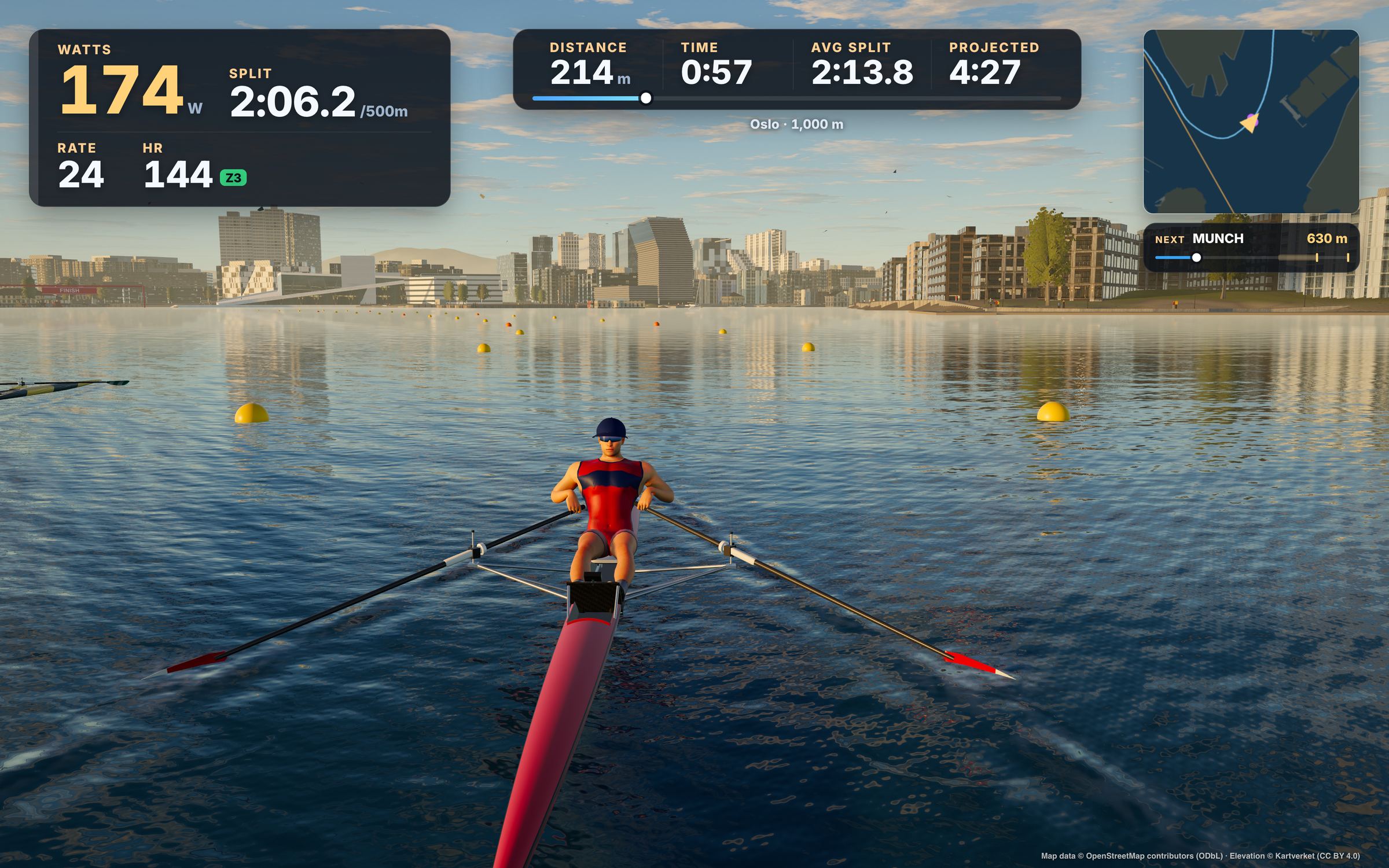
FjordRow in Oslo harbour with the Training layout: watts, split, rate and heart rate top left, distance, time, average split and projected finish along the top, the map and the next landmark on the right, and the force curve bottom left.
Training: the full pictureWatts, split per 500 m, rate and heart rate in one card. Distance, time, average split and projected finish along the top. Force curve bottom left, the map and the next landmark on the right.Open the full screen of Training
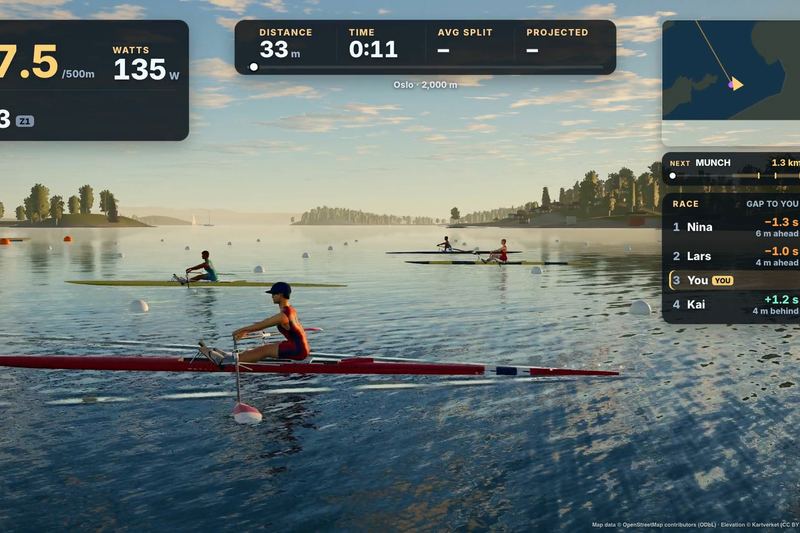
The Race layout: the card with watts, split, rate and heart rate, the distance bar with projected finish, and the next landmark. No force curve.
Race: only what decides the pieceWatts, split and rate, your distance and the projected finish. The force curve and stroke numbers are put away. In a race the positions and gaps sit under the map.Open the full screen of Race
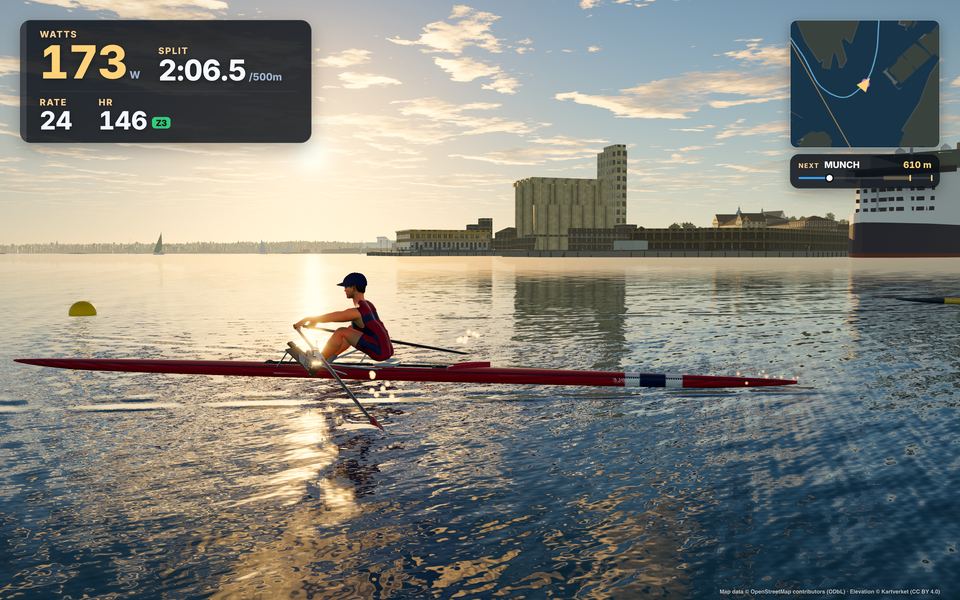
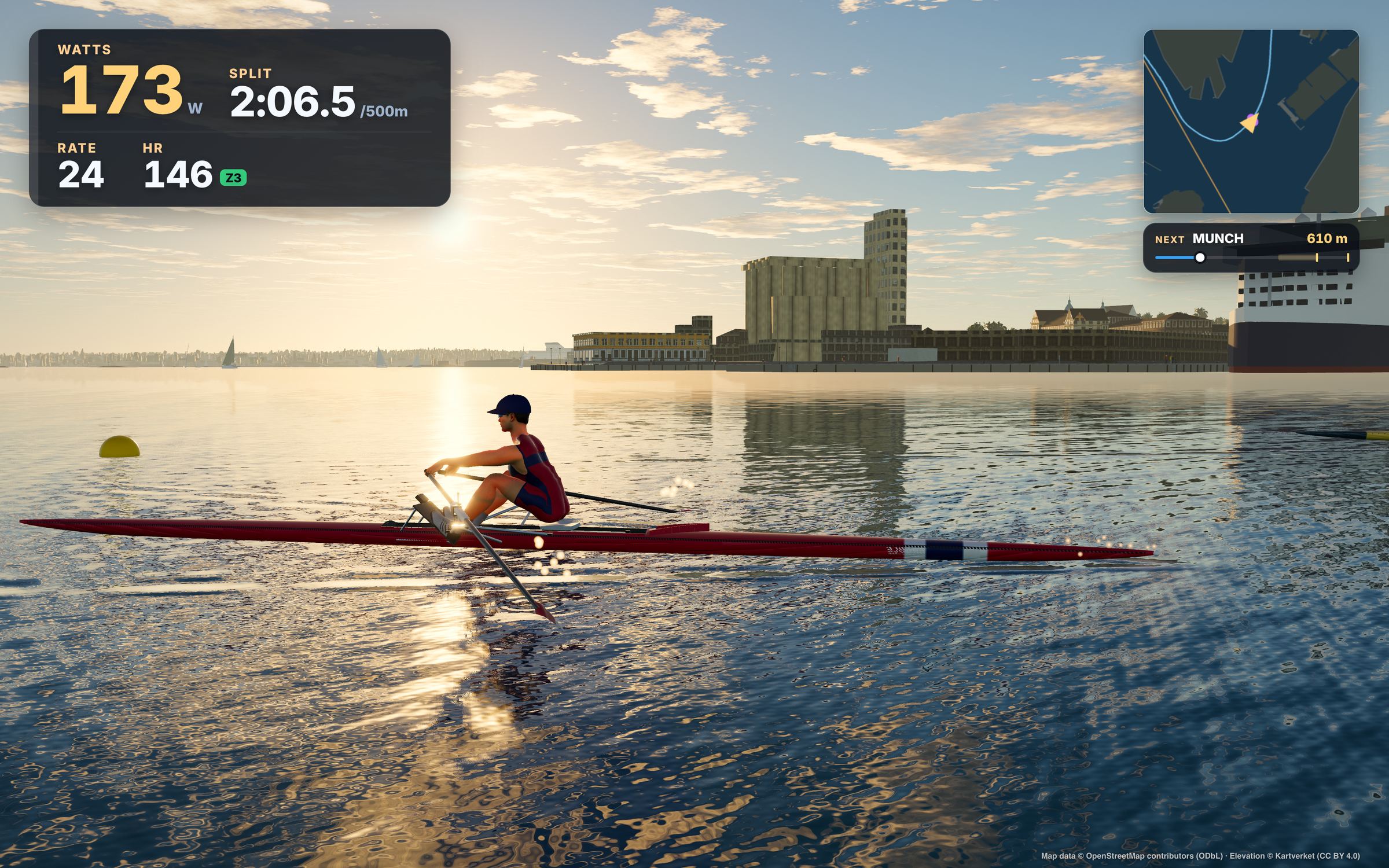
The Scenic layout seen from the Coach camera, side-on to the sculler in low sun: one card of numbers top left, the map and the next landmark top right. The rest of the screen is the harbour.
Scenic: the harbour gets the screenOne card, the map and the next landmark. For the long steady rows where you would rather look at the harbour than at a number. Seen here from the Coach camera, one of six views you can switch between while you row.Open the full screen of Scenic
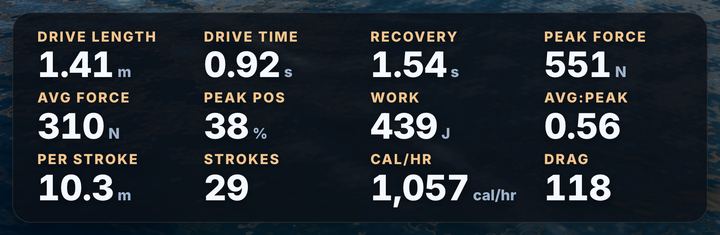
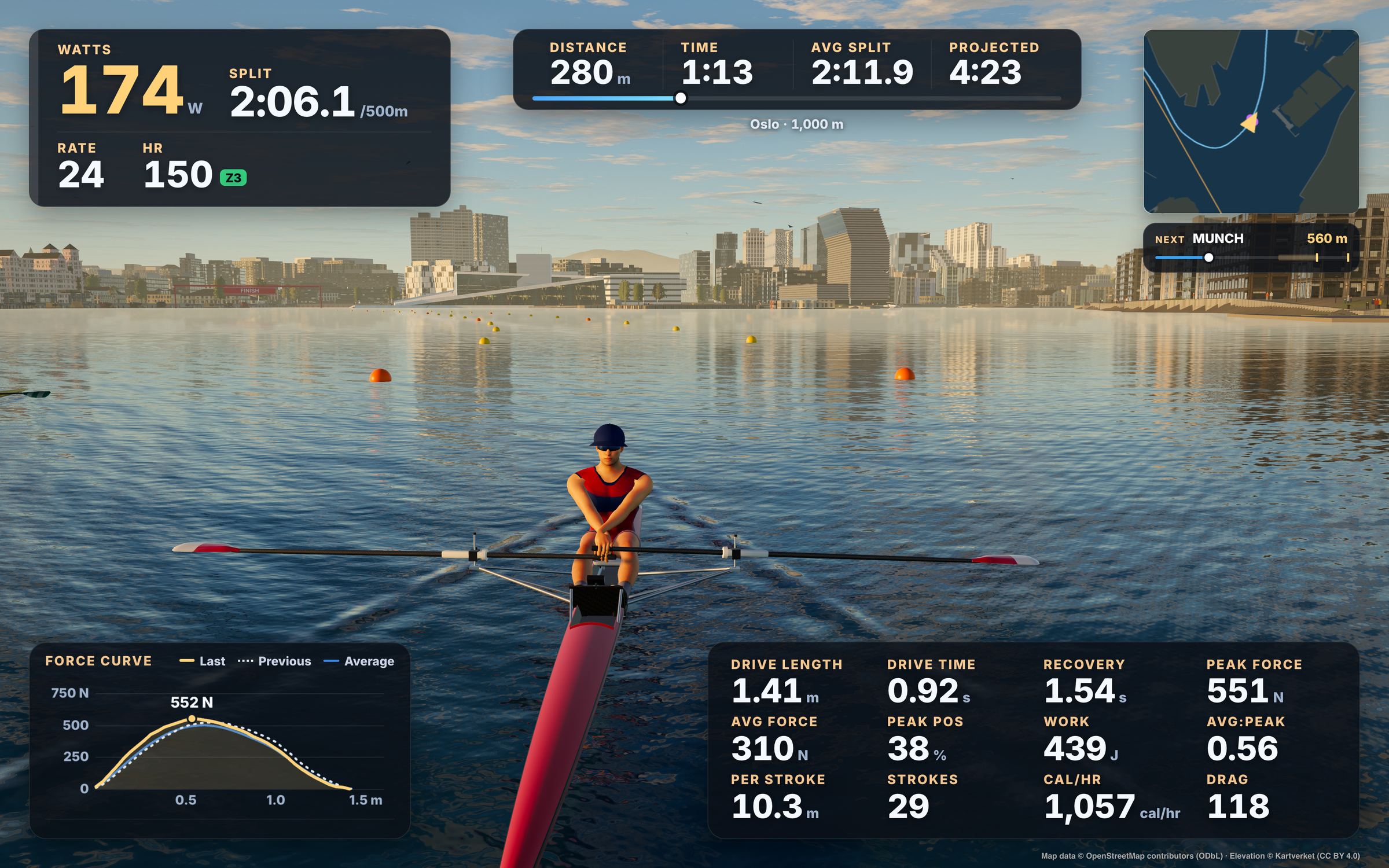
The Data layout: the force curve plus twelve stroke fields, among them drive length, drive time, recovery, peak force, average force, work and distance per stroke.
Data: twelve stroke fieldsDrive length, drive time, recovery, peak and average force, where the peak falls, work, distance per stroke and more. Choose the fields and where they sit, and keep it as your own layout.Open the full screen of Data

Routes

Four waters. Two of them are home.

Oslo and Tjøme are built from map, terrain and photo data. Paris and Golden Lake when you want a change.

Oslo harbour in FjordRow: the Opera, MUNCH and the Barcode towers across the water in low evening light, with a sculler in the foreground.

Flagship · Oslo harbour

Oslo

Past City Hall and Akershus to a finish at the Opera.
  • Operaen
  • MUNCH
  • Rådhuset
  • Akershus festning
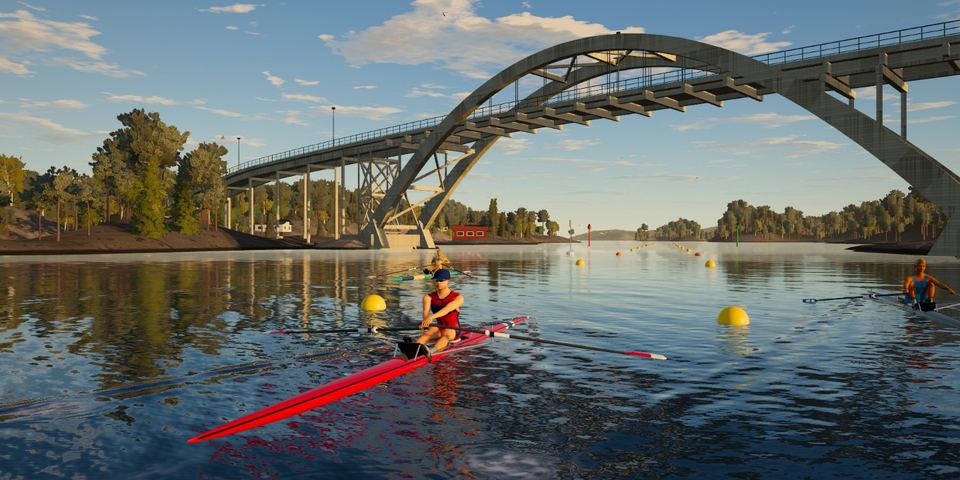
Røssesund bridge on Tjøme in FjordRow: a concrete arch bridge over a narrow sound between low rocky shores, with a sculler rowing towards it.

Norwegian coast

Tjøme – Tønsberg

Svaberg, island bridges and the outer coast to Verdens Ende.
  • Røssesund bru
  • Vrengen bru
  • Verdens Ende
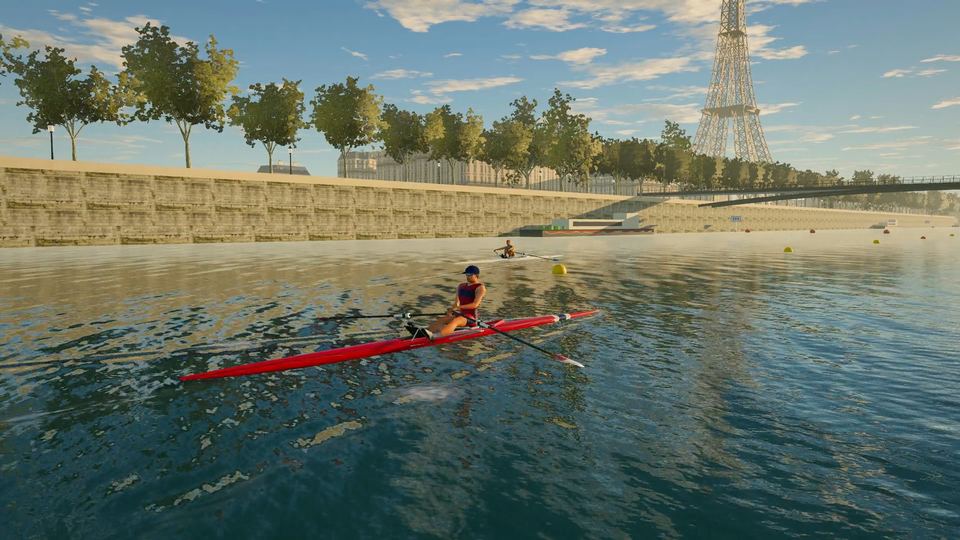
A sculler on the Seine in FjordRow: a tree-lined stone quay, a footbridge ahead and the Eiffel Tower above it.

Paris

The Seine

Stone quays and bridges, with the Eiffel Tower ahead.
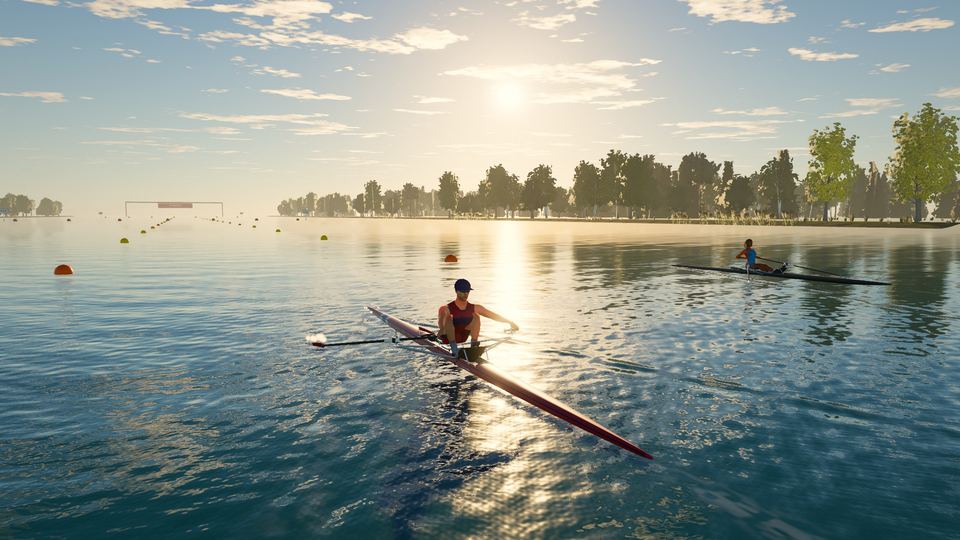
A sculler on a calm lake in FjordRow, rowing across the glitter of a low sun, with a tree line on the far shore and buoyed lanes.

Lake

Golden Lake

Flat water and buoyed lanes. Nothing but the stroke.

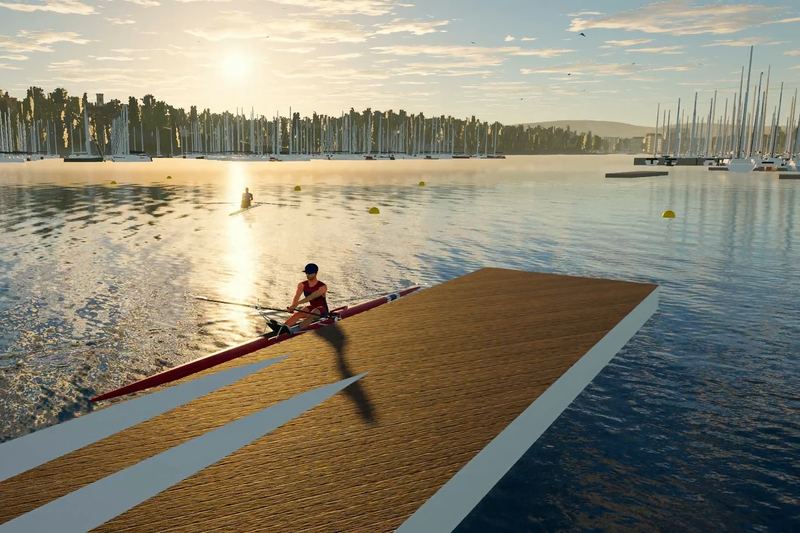
Or push off from a real club pontoon: Christiania Roklub, Norske Studenters Roklub or Tønsberg Roklub.
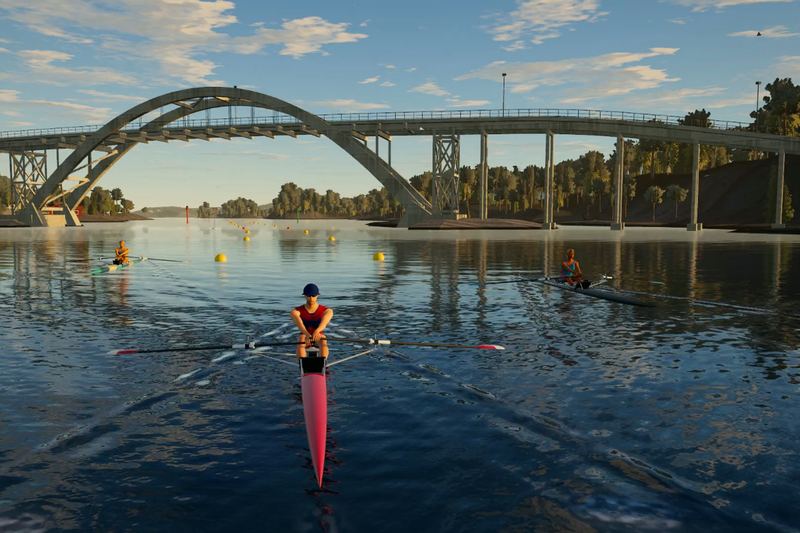
Rowing towards Røssesund bridge on Tjøme in FjordRow, with pace boats on either side.
Røssesund bru, Tjøme
A single scull alongside the wooden club pontoon at Christiania Roklub in FjordRow, about to push off, in low evening sun.
Push off at Christiania Roklub
A race in FjordRow: the sculler in the outer lane with pace boats in the lanes beyond, and the race list with the gaps on screen.
Race the pace boats
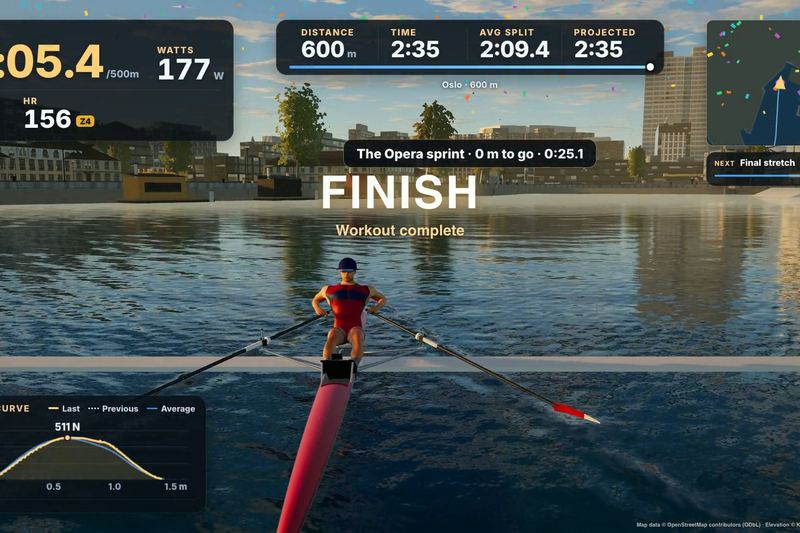
Crossing the finish line in front of the Opera in FjordRow, with FINISH on screen and the final split.
The finish, by the Opera

SkiErg

SkiErg, too.

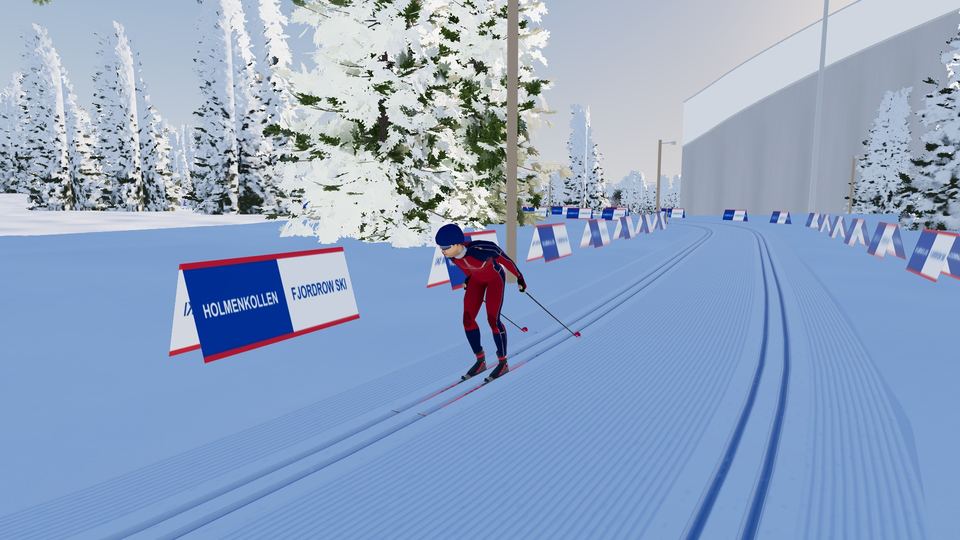
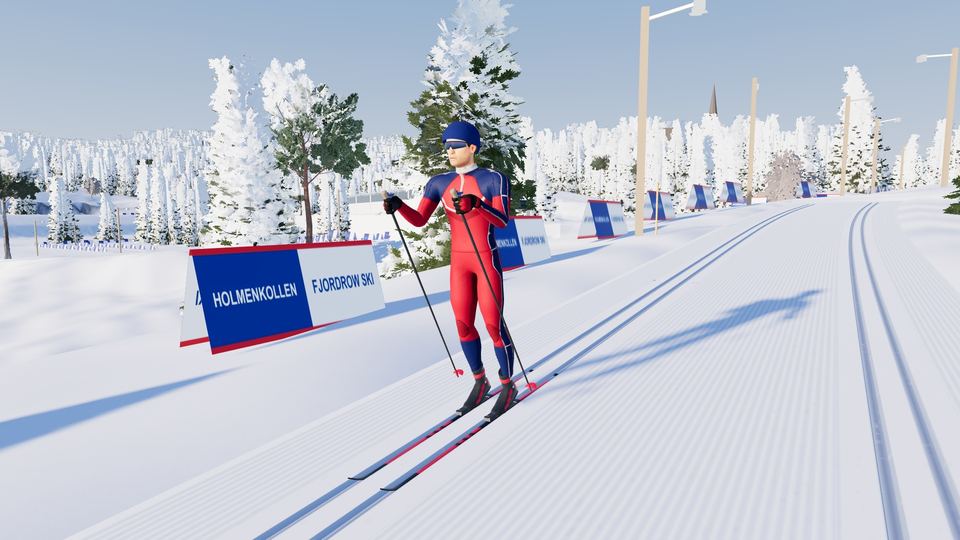
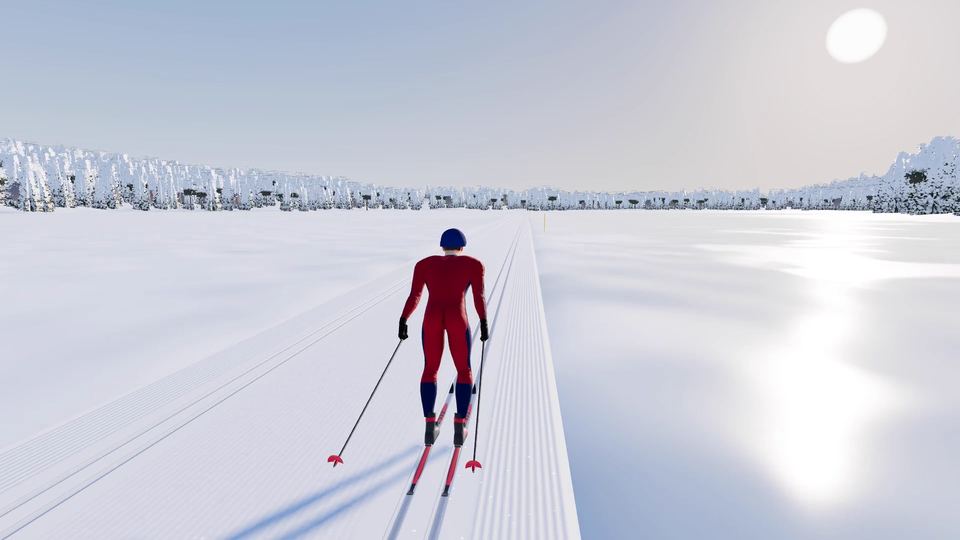
A skiing mode for the Concept2 SkiErg is in the works: Holmenkollen first. More about FjordSki
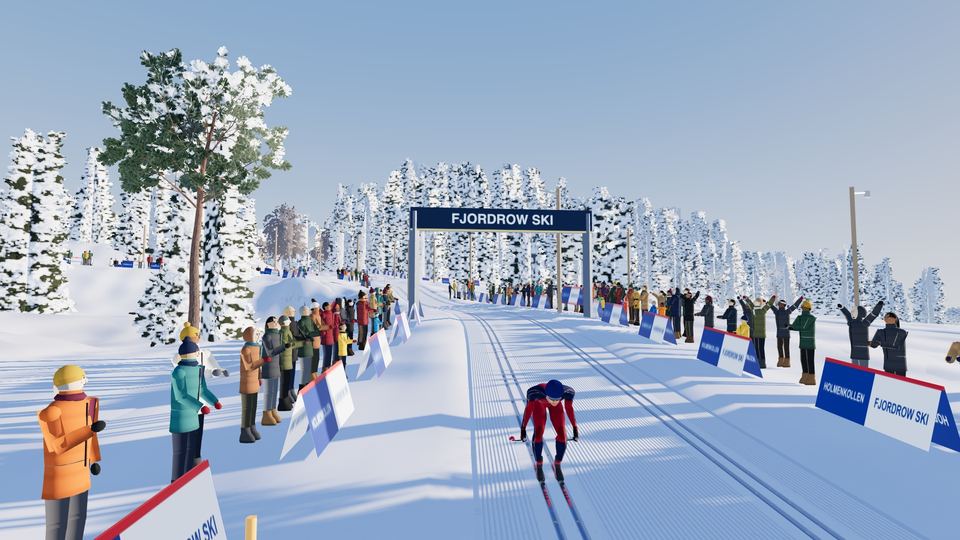
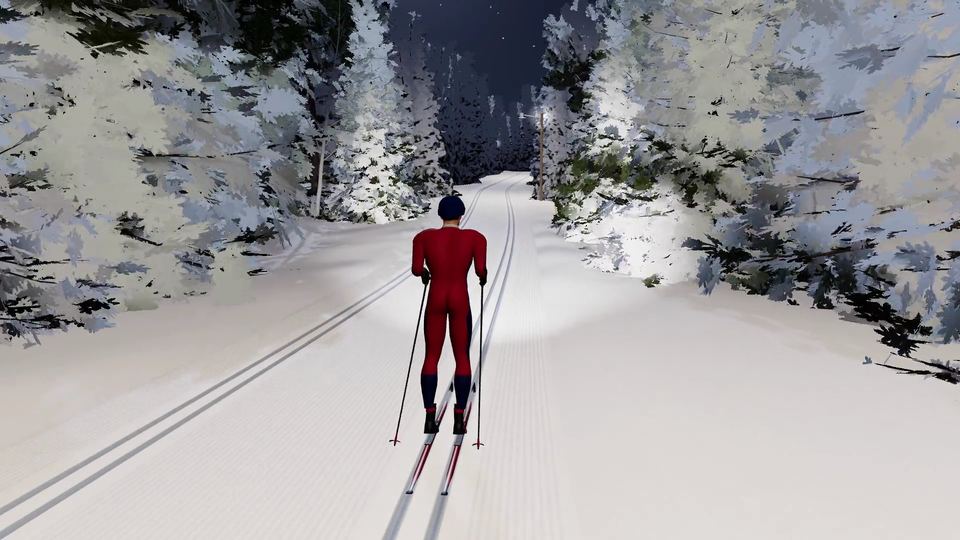
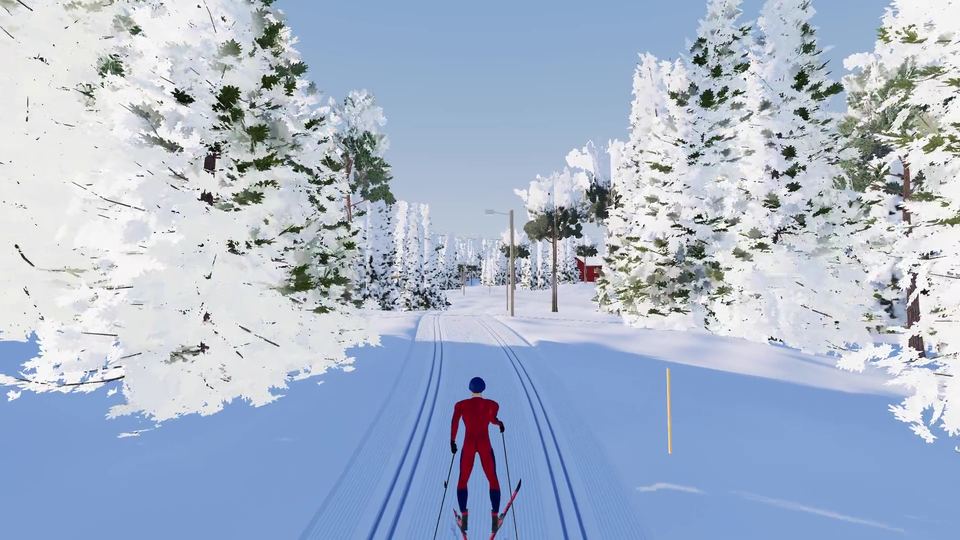
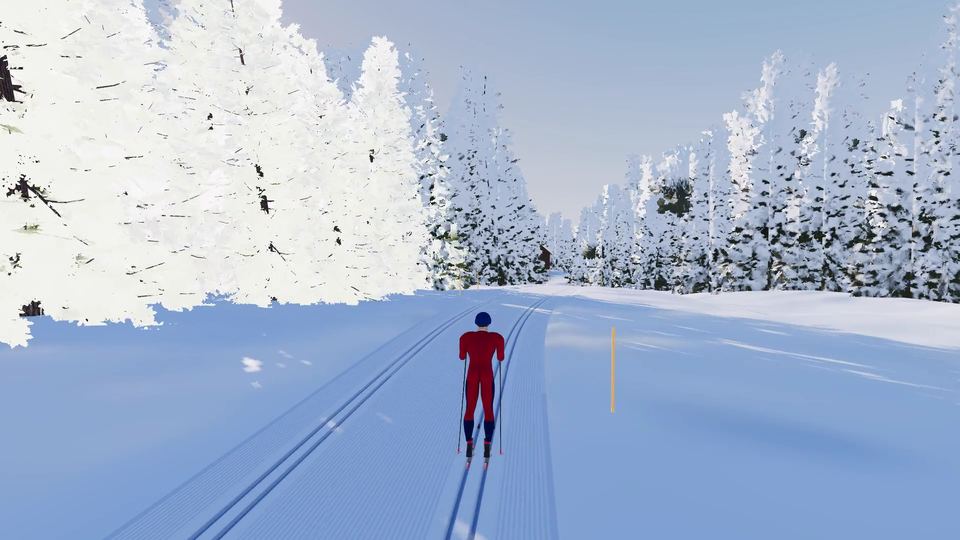
FjordRow’s SkiErg mode at Holmenkollen, in development: a skier double-poling under the FjordRow Ski arch, with spectators cheering behind the boards.

Recorded in the app’s SkiErg mode, still in development, frame by frame.

After the row

Every stroke, kept.

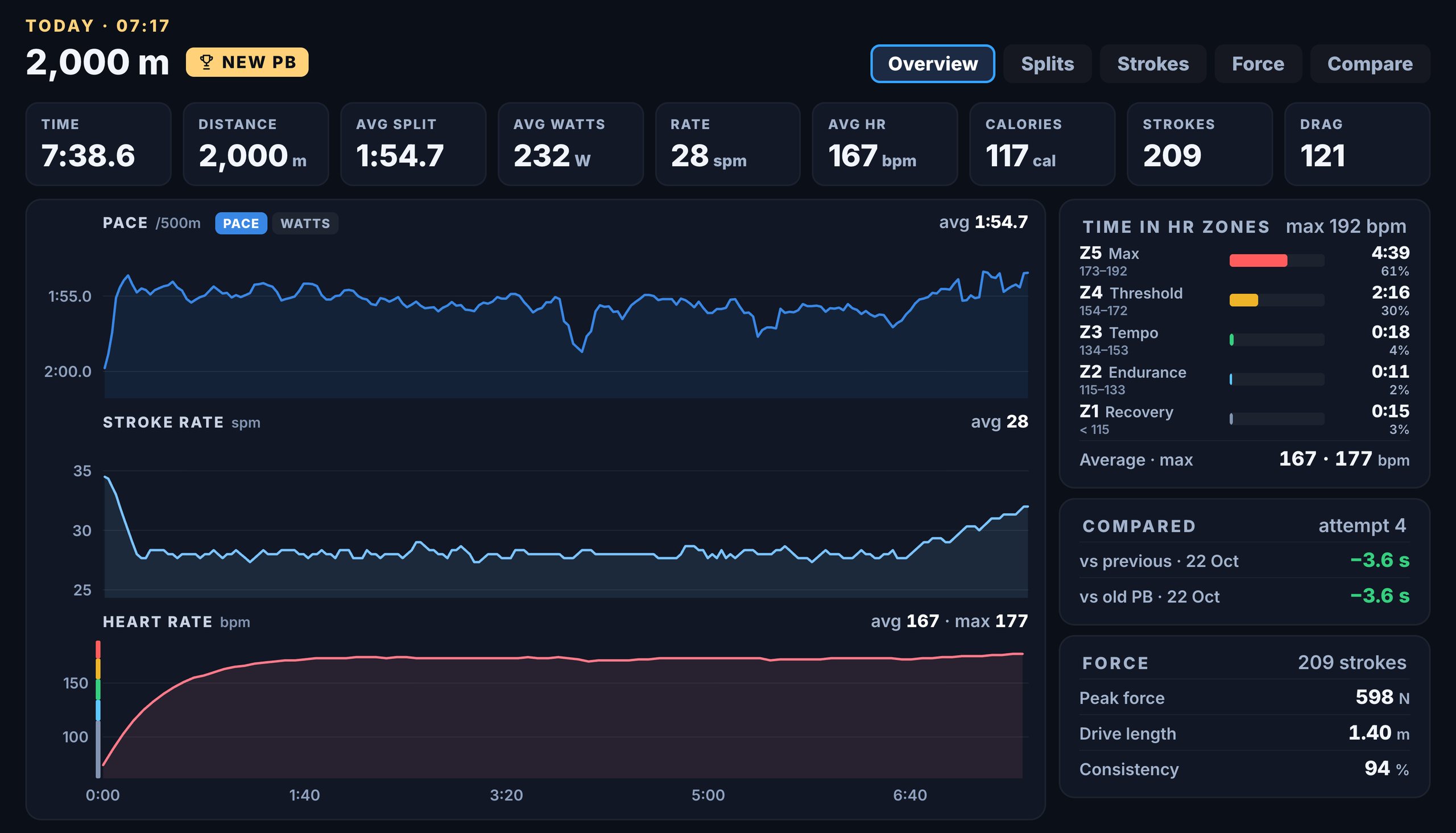
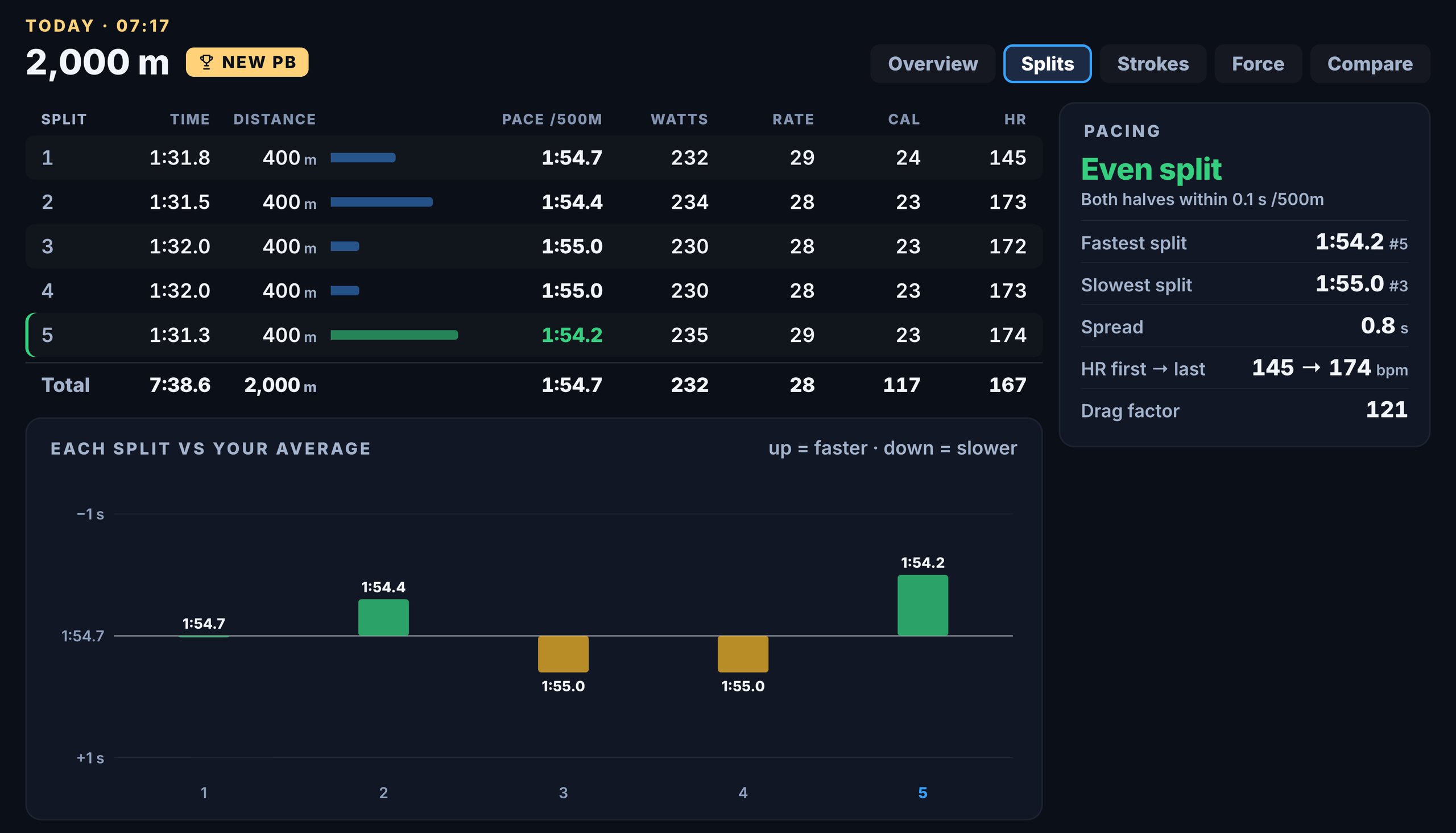
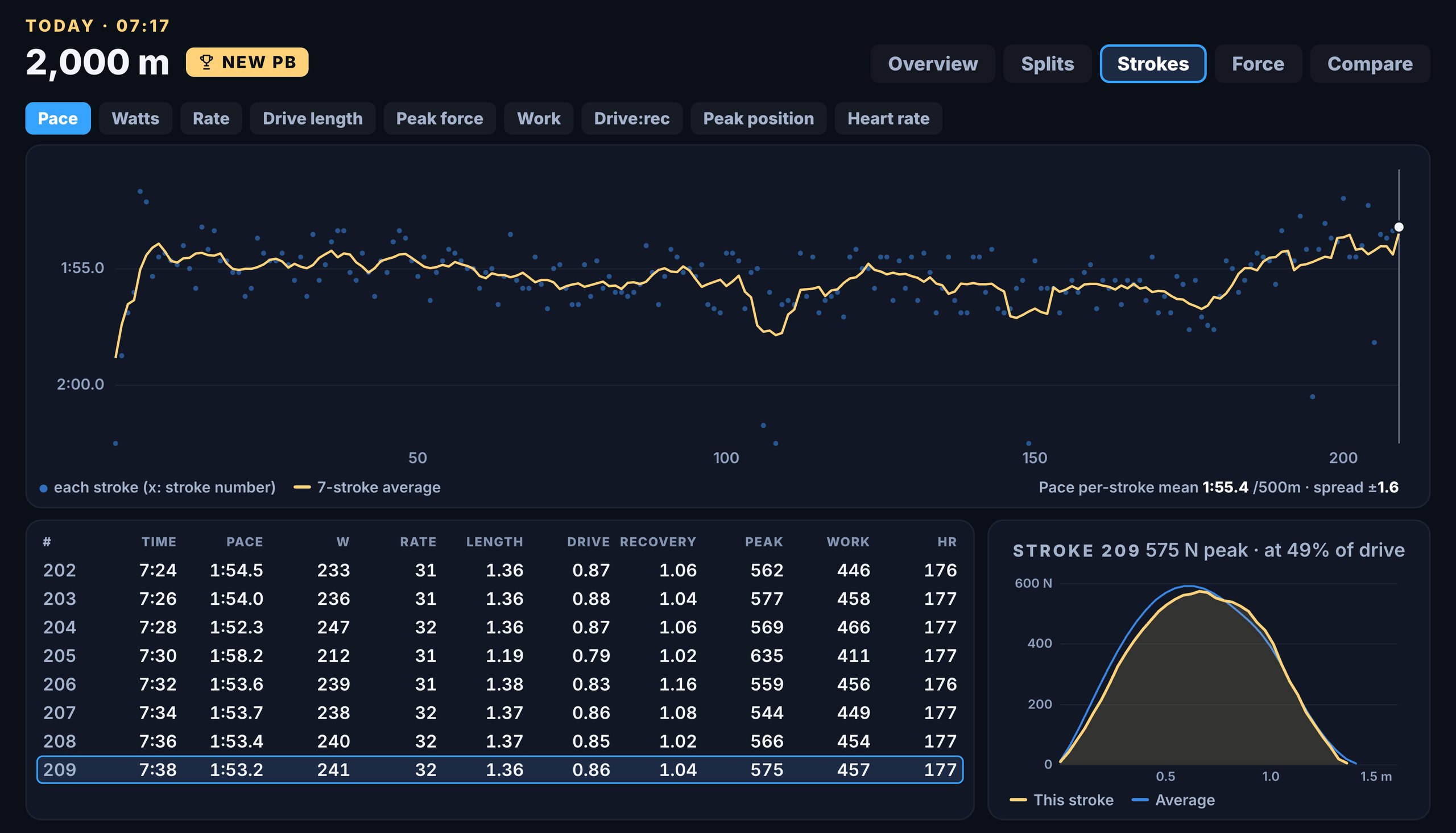
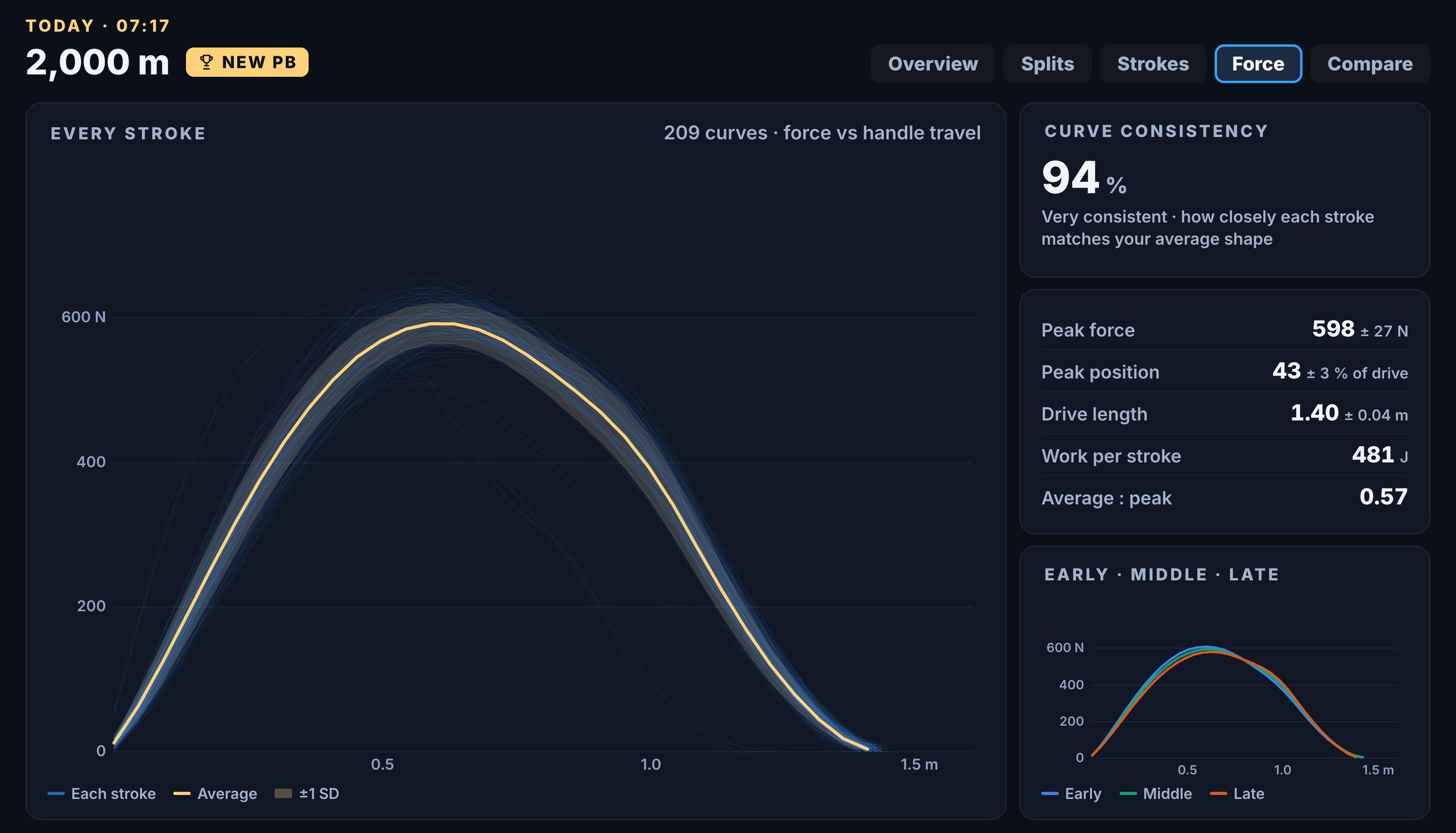
Every stroke the PM5 reports is kept, force curve included. Five views after every row.
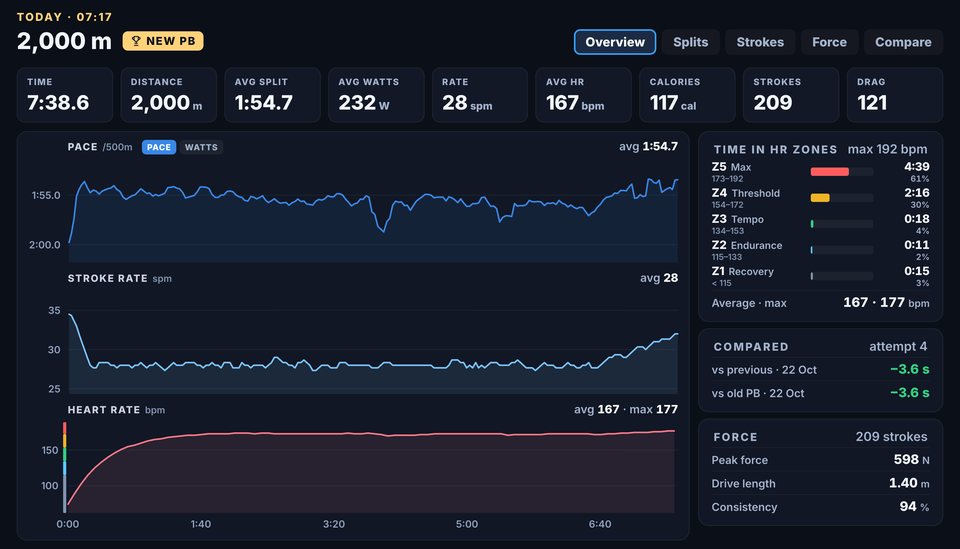
Analysis overview of a 2,000 m row: time 7:38.6, average split 1:54.7, 232 watts, rate 28, with pace, stroke rate and heart rate graphs and time in each heart rate zone.
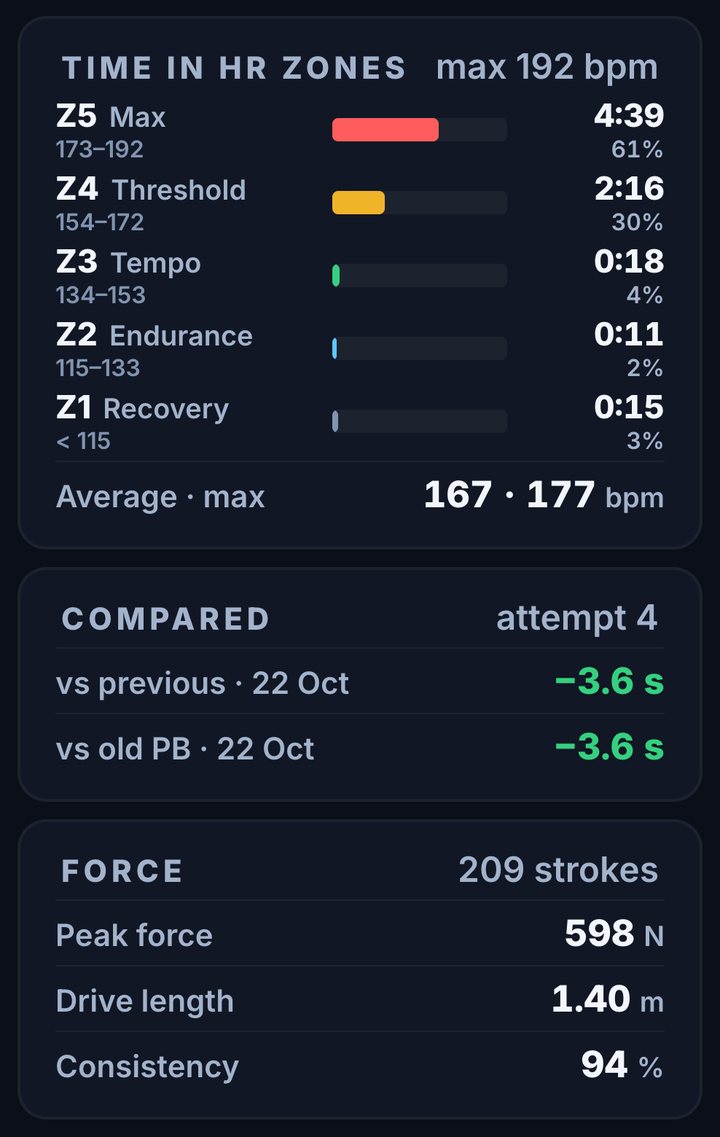
Overview: the whole piece on one screenPace or watts, stroke rate and heart rate over the row. Time in each heart-rate zone. How this attempt compares with your last one and your best.Open the full screen of Overview
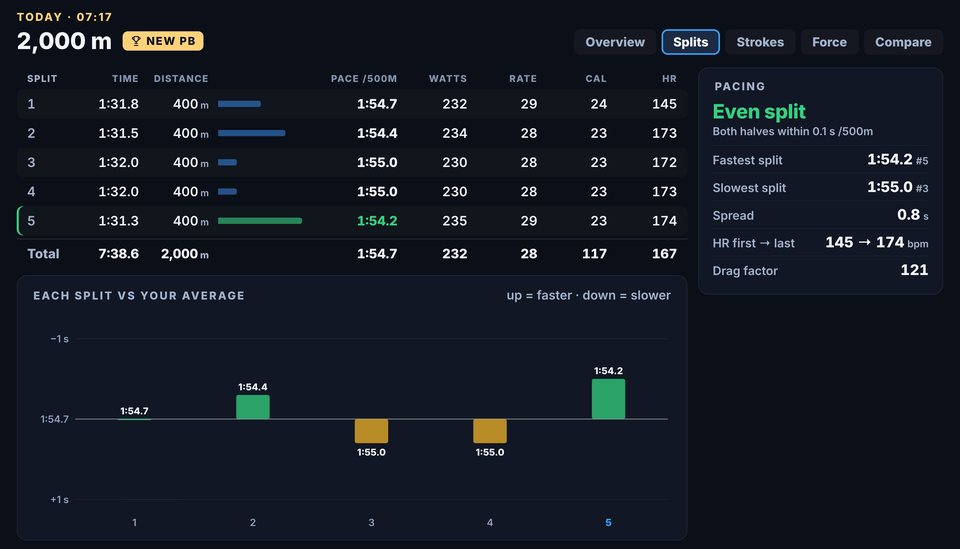
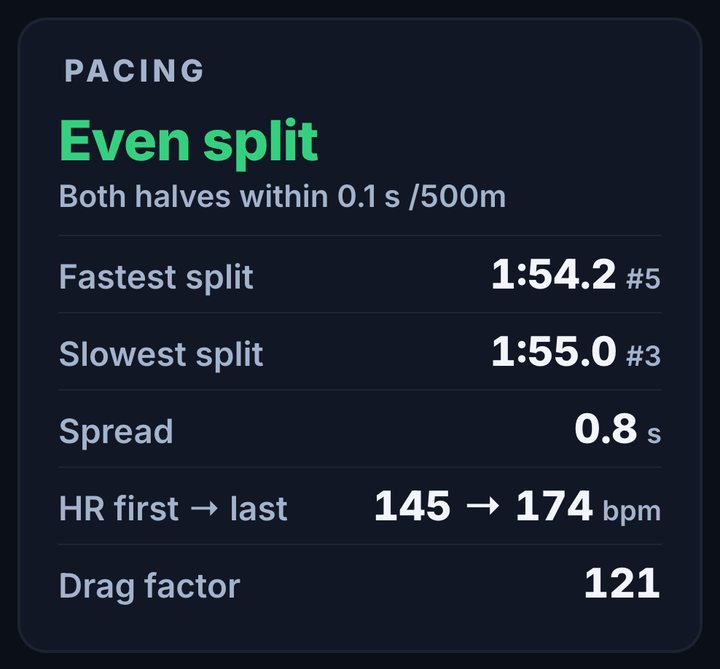
Splits view: five 400 m splits with pace, watts, rate and heart rate, a pacing verdict of "even split" and a chart of each split against the average.
Splits: how you paced itEvery split with pace, watts, rate and heart rate, each one set against your average. A plain verdict on the pacing: even, positive or negative split.Open the full screen of Splits
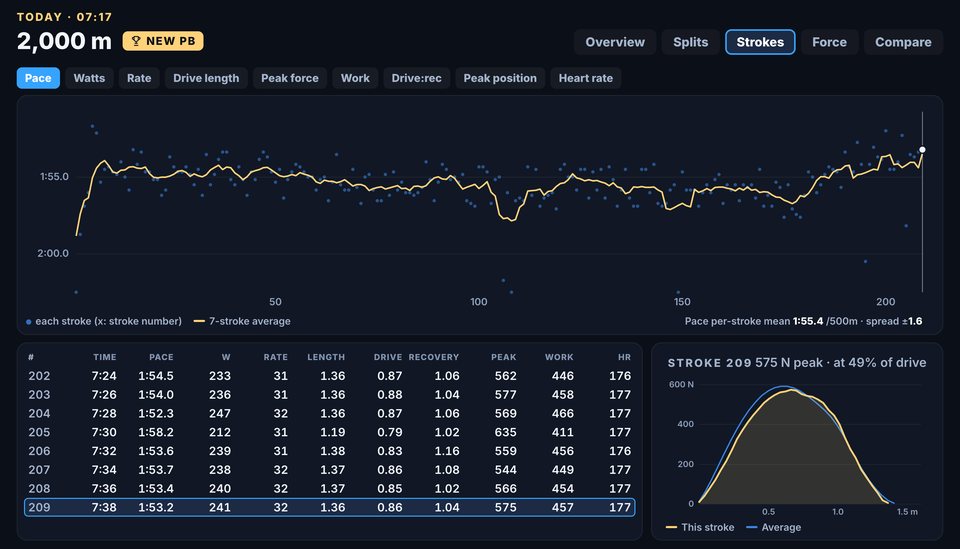
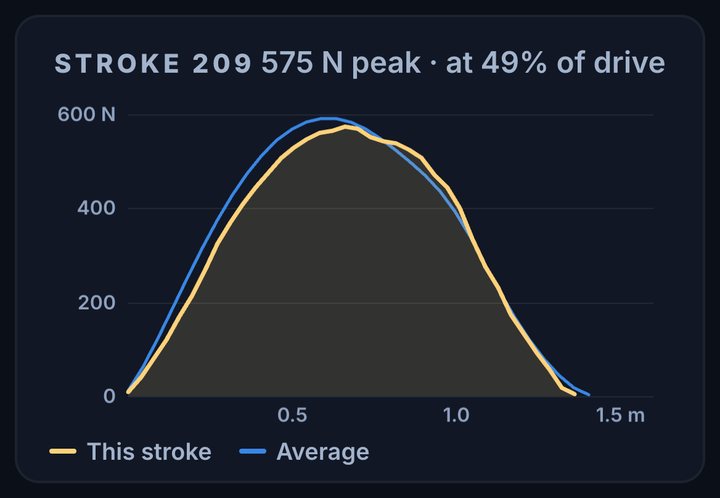
Strokes view: pace for each of 209 strokes as a graph, a table of single strokes with drive length, peak force and work, and the force curve of the selected stroke.
Strokes: all 209 of themStep through the row one stroke at a time. Pace, watts, rate, drive length, peak force, work and ratio for each, with that stroke's own force curve beside it.Open the full screen of Strokes
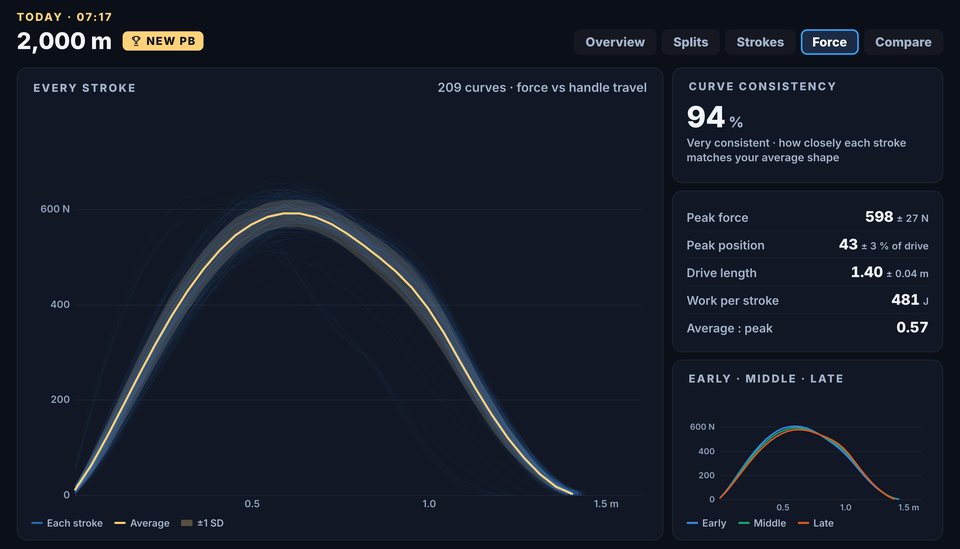
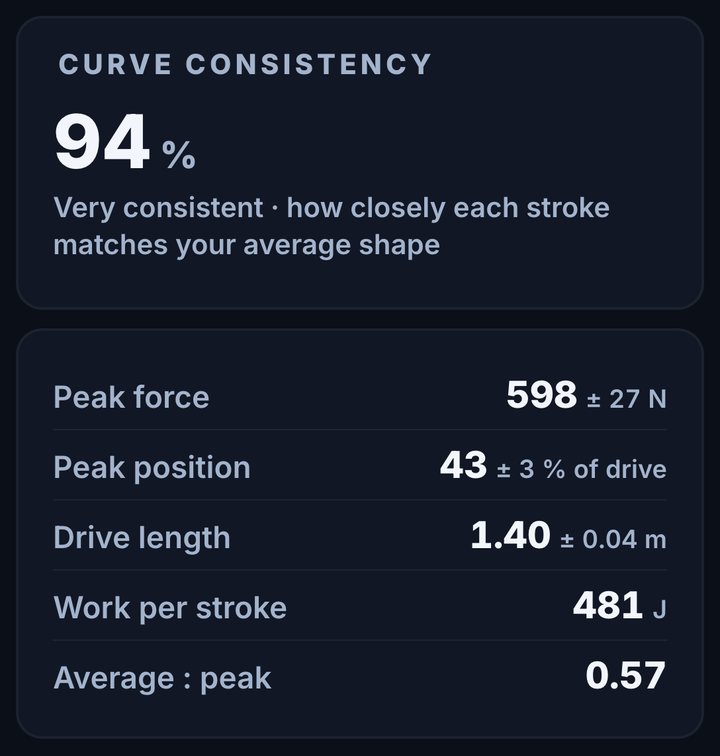
Force view: all 209 force curves of the row drawn over each other with the average on top, a consistency score of 94 percent, and curves for the early, middle and late part of the row.
Force: every curve, overlaidAll your force curves on one plot with the average on top, and a consistency score. Early, middle and late curves show what happens to your stroke as you tire.Open the full screen of Force
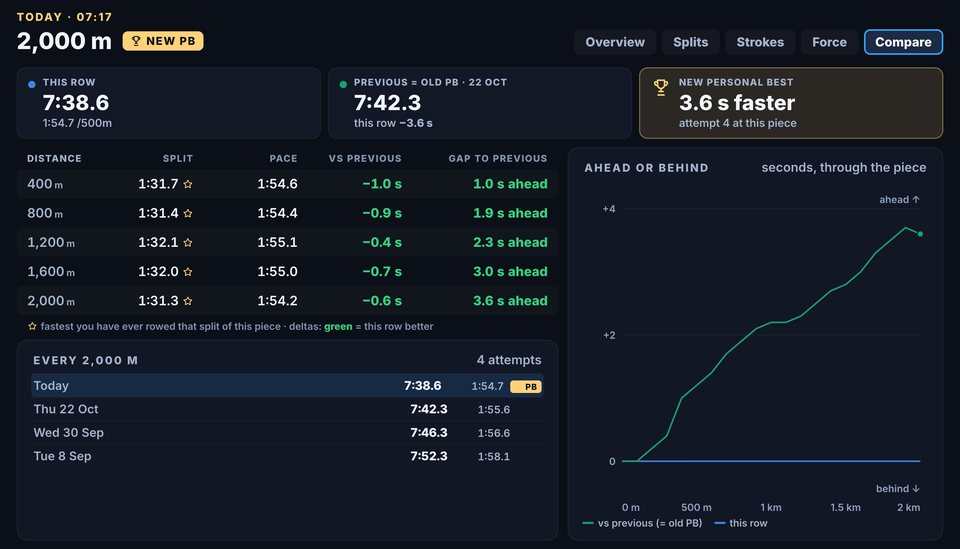
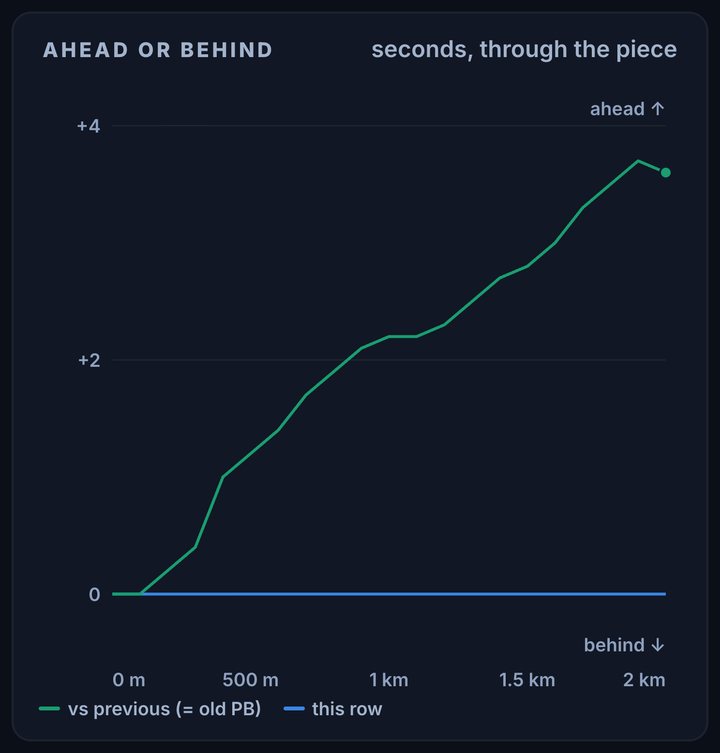
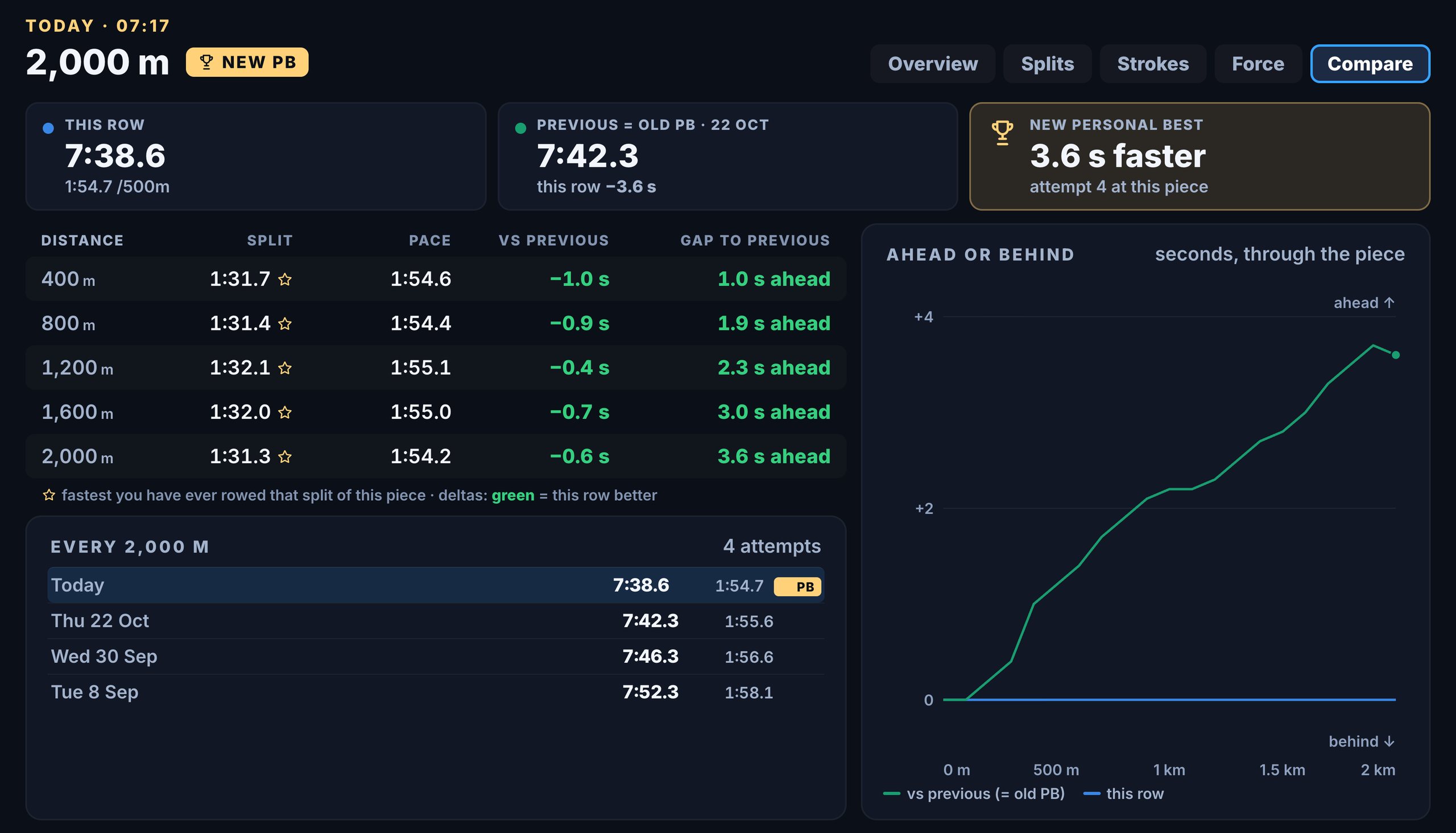
Compare view: this 2,000 m against the previous attempt, 3.6 seconds faster, with a split-by-split table and a graph of seconds ahead or behind through the piece.
Compare: against your last attempt and your bestSplit by split against your previous row at the distance, and a line showing where you were ahead or behind. Every attempt at the distance is listed below.Open the full screen of Compare

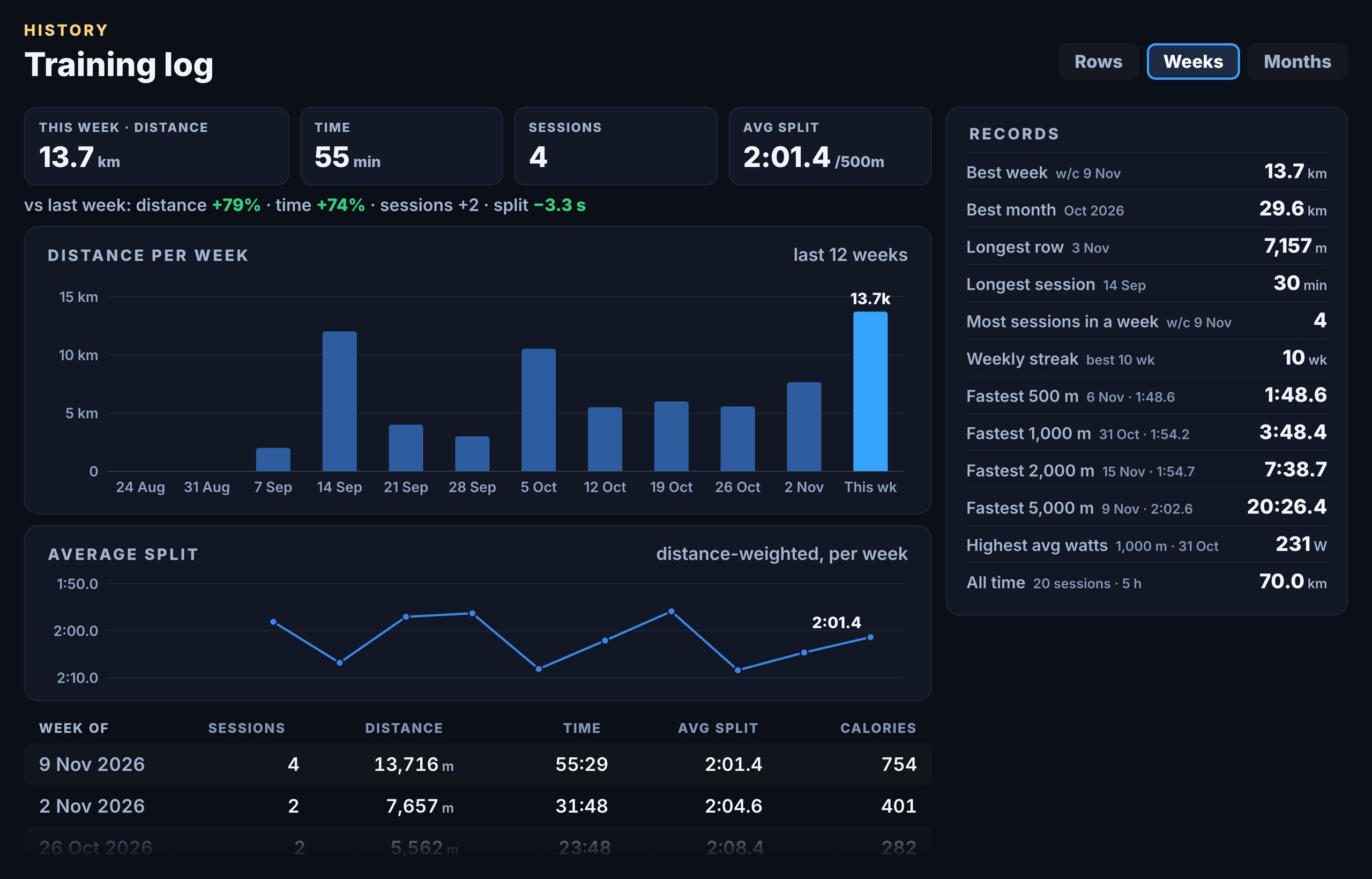
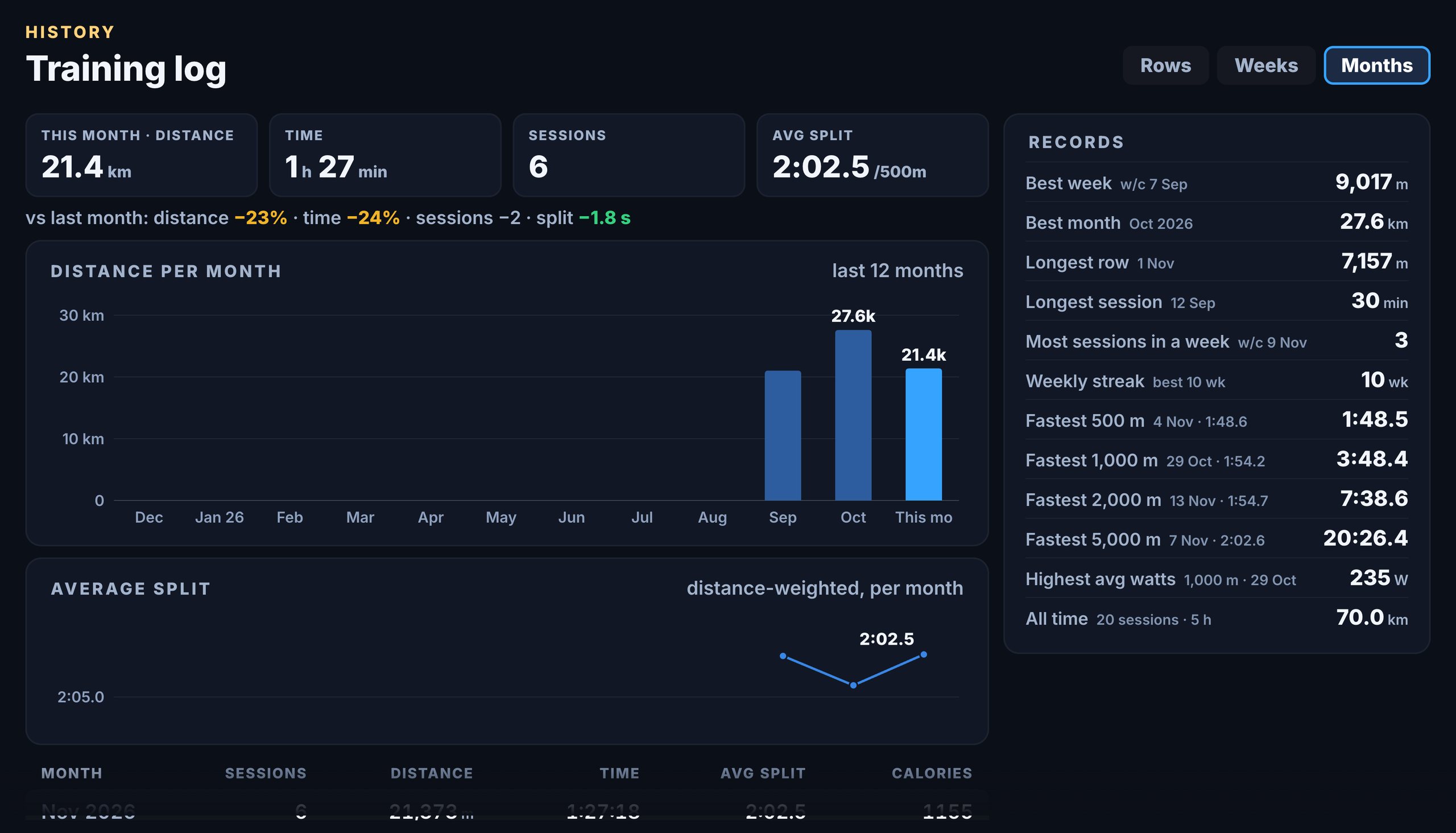
The training log: weeks, months, records and your streak.

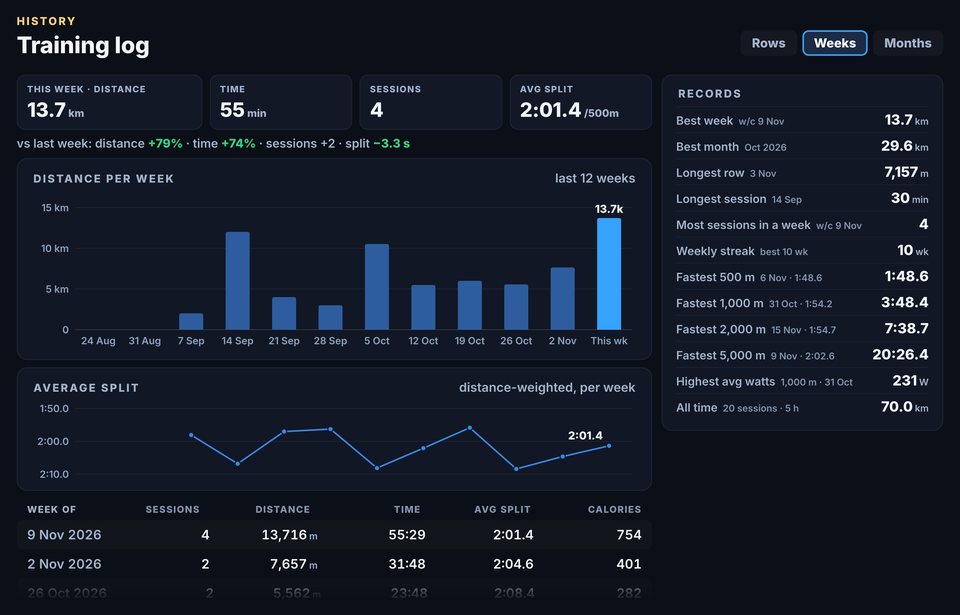
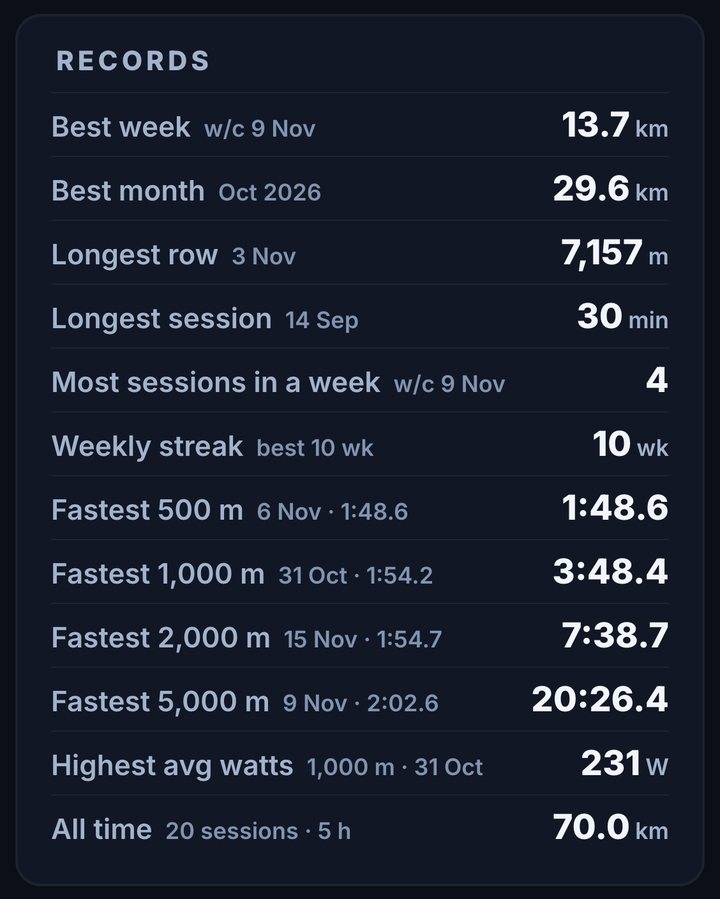
Training log by week: 13.7 km this week in 4 sessions, a bar chart of distance per week for 12 weeks, average split per week, the weekly table and a list of records.
WeeksDistance, time, sessions and average split for the week, against last week. Twelve weeks of distance as bars, and your records on the right.Open the full screen of Weeks
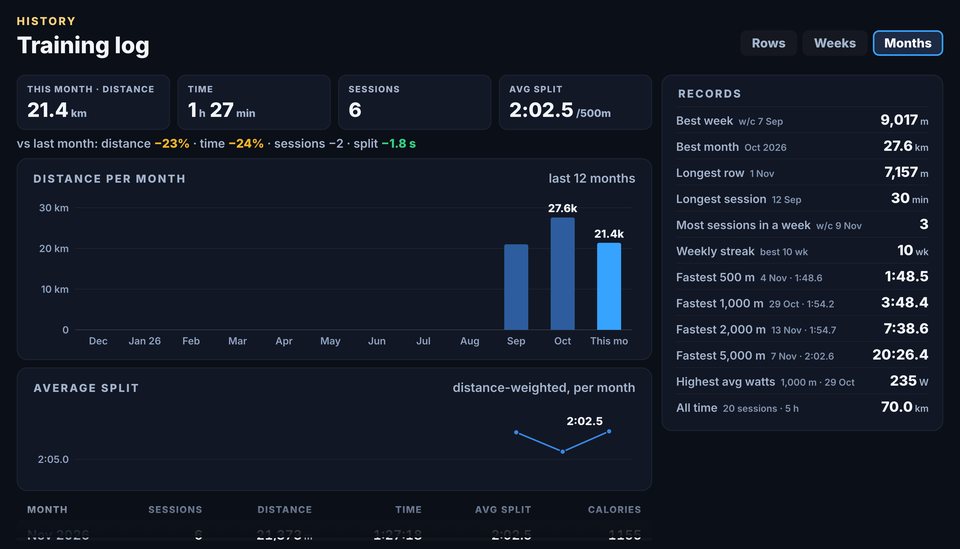
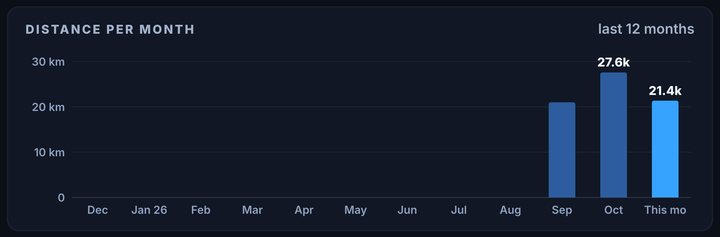
Training log by month: distance per month for the last 12 months, average split per month and personal records.
MonthsThe same view over a year, for the long trend.Open the full screen of Months
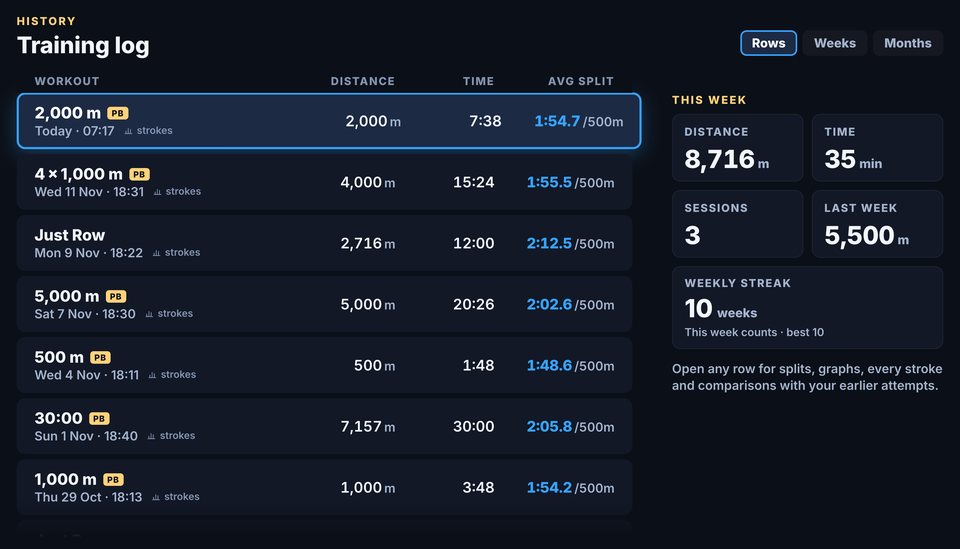
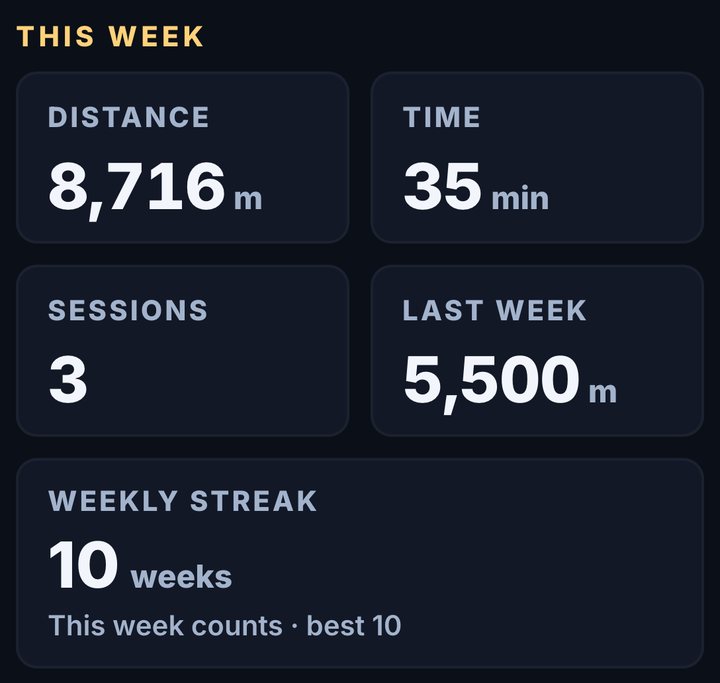
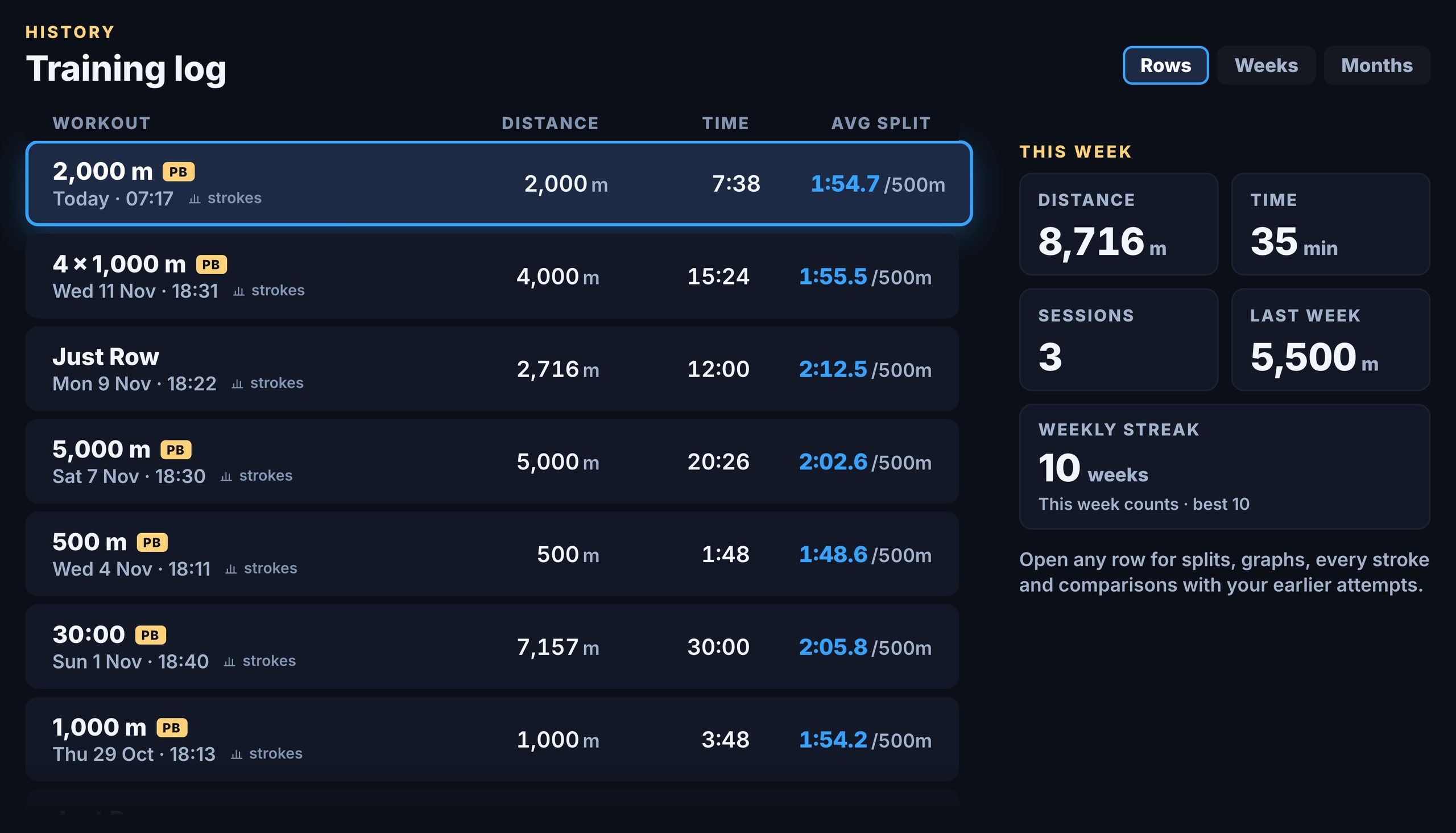
Training log as a list of rows: 2,000 m, 4 by 1,000 m, Just Row, 5,000 m, 500 m, 30 minutes, each with distance, time and average split, and a weekly streak of 10 weeks.
RowsEvery row you have done, with personal bests marked. Open any of them for the five analysis views.Open the full screen of Rows

Screens from the built-in demo rower.

Want this on your rower?

Get the beta

Race

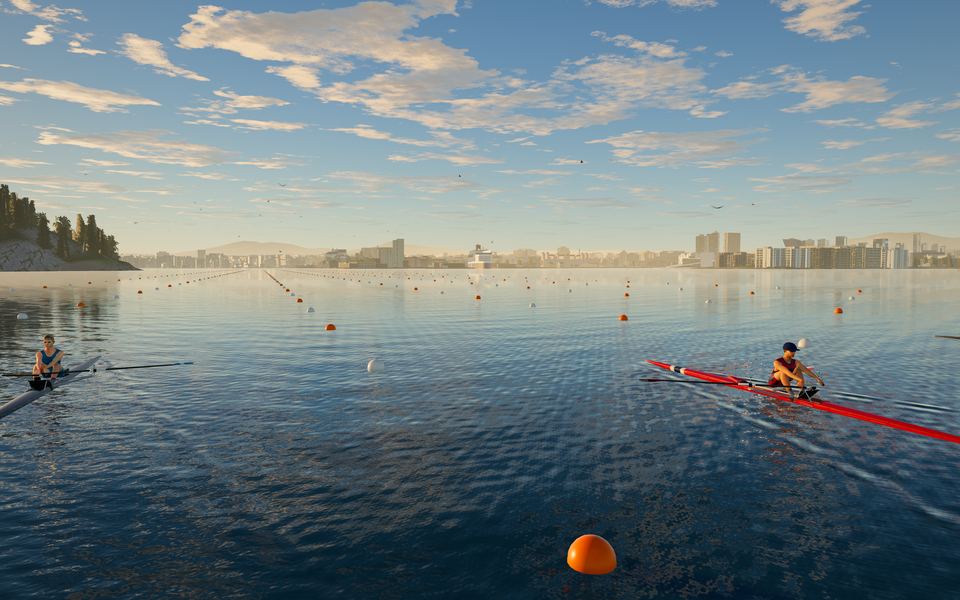
A race in FjordRow on the Oslofjord: the sculler in a red boat with a rival boat level in the next lane and lane buoys stretching ahead.
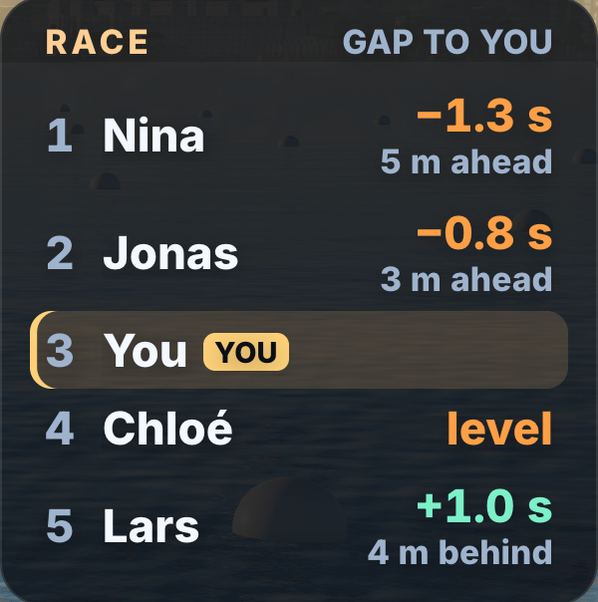
The race panel from the FjordRow screen, with the gap to you for each boat: Nina first, 1.3 seconds and 5 m ahead. Jonas second, 0.8 seconds and 3 m ahead. You third. Chloé level. Lars 1.0 second and 4 m behind.

Line up. Two thousand metres.

A buoyed 2 km course with boats in the lanes beside you.

  • Easy to elite, or a mixed field.
  • Race a ghost of your best.
  • 500 m to 10 km.

What you need

A rower, a PM5, a screen.

01

A Concept2 with a PM5

Connects over Bluetooth. Nothing to plug in.

02

A screen

iPhone, iPad, Mac or Android. The beta is free on all four.

03

A place for it

In front of the rower, at eye height.

Questions

Straight answers.

Can I use it now?

Yes. The beta is live and free on iPhone, iPad, Mac and Android. It is a beta, so expect updates and the odd rough edge.

Does it cost anything?

No. The beta is free to install, row and update.

Which rowing machines work?

A Concept2 with a PM5 monitor, over Bluetooth. Heart rate comes from a Bluetooth strap or through the PM5.

Which devices?

iPhone, iPad, Mac and Android. iPhone, iPad and Mac install through TestFlight. Android is a closed test on Google Play: write to hello@fjordrow.com with your Google address.

Can I try it without a rower?

Yes. Tap “Try a demo row” in the app. The pictures on this page come from it.

Does it upload to Strava and the Concept2 Logbook?

Strava upload is in the beta, with a limited number of connections for now. Concept2 Logbook sync is built and waiting for Concept2 to approve access, so it is switched off for now.

Is this a Concept2 product?

No. FjordRow is an independent app, not affiliated with or endorsed by Concept2. Concept2, RowErg and PM5 are trademarks of Concept2, Inc.